
HVAC Speed to Lead: Measure Faster Replies, Qualification and Bookings

The short answer
Speed to lead measures how long a homeowner waits for a useful first reply. Track qualification and confirmed booking separately. An HVAC inquiry agent can shorten the waiting and information-gathering steps, but appointment availability, customer choice and your team’s follow-through still determine whether a job is booked.
Key takeaways
- Measure arrival-to-useful-reply time separately from qualification time and confirmed booking time.
- The often-cited 100x contact and 21x qualification figures come from a 2007 web-lead study; they are not HVAC booking guarantees.
- A five-minute first useful reply can be an operating target, with the target evaluated against your own channels and workload.
- Track unanswered leads and the slowest part of the distribution alongside the median; never hide leads that received no reply.
- Agentplace can handle a configured inquiry workflow, while calendar availability and a successful write determine whether the next step becomes a booking.
HVAC speed to lead is the time from an inquiry arriving to a useful first reply. A useful reply answers a question or moves the request forward. An automatic acknowledgment, a qualified request and a confirmed appointment are three different events, so record them separately.
A homeowner asking about a failed AC may need to know whether you cover the address, what a diagnostic visit costs and when somebody is available. A quick response can resolve those questions sooner. It cannot create technician capacity or guarantee that the homeowner chooses your company.
Agentplace can support this process through an HVAC inquiry agent with its own page and configured phone access. Start with the channel where delays occur, then connect the real schedule only after testing the permitted booking actions. For the specific product and price comparison, use the missed-call tools guide.
What Is Speed to Lead in HVAC?
Speed to lead is the elapsed time between a homeowner reaching out and your business making its first real reply. The clock starts when they call, submit a form, tap a Local Services Ads listing, or send a text. It stops when a person or an agent responds with something they can act on.
Two details matter for HVAC specifically. The clock does not pause overnight. And a reply only counts if it moves the job forward. An automatic acknowledgement that cannot answer the next question is a placeholder, and homeowners treat it that way.
A few terms show up throughout this guide:
- Lead: a homeowner who has contacted you and not yet booked. The general marketing definition is covered in lead generation.
- LSA (Local Services Ads): Google’s pay-per-lead ad format for local trades, where the lead arrives as a call or message through Google rather than through your website.
- FSM (field service management): the software contractors run scheduling, dispatch and invoicing on, such as Housecall Pro, Jobber or ServiceTitan.
- Missed-call text-back: an automatic SMS sent to a caller whose call went unanswered.
- One-shot text-back: the same thing, when the tool sends that single message and cannot answer whatever the homeowner replies.
- First-response time: the gap between the lead arriving and your first reply, measured per channel.
- First-reply completion rate: of the leads that got an automatic first message, the share that also got a useful second reply.
- AI credits: the unit Agentplace meters agent activity in, consumed as the agent works. See the pricing page for current plans.
Why Does Response Time Decide Who Wins the Job?
A prompt useful reply can keep a homeowner engaged, but response time is only one factor alongside availability, price, service fit and trust. The research commonly cited here measures earlier sales stages, so its outcome definitions matter.
The 2007 Lead Response Management report, produced with James Oldroyd and InsideSales.com, analyzed three years of web-lead records from six companies: more than 15,000 leads and 100,000 call attempts. It reported 100-times higher contact odds and 21-times higher qualification odds at five rather than thirty minutes. The report explicitly says it did not study close ratios. These observational results are not a forecast of HVAC jobs won.
The later 2011 HBR article describes an audit of web-inquiry response and separate analysis of lead qualification. Its older, cross-industry data is context for testing prompt responses, not a current HVAC conversion benchmark.
| Stage | What counts as success in your operation? |
|---|---|
| Acknowledgment | The channel delivered a receipt message |
| Useful first response | The customer received a relevant answer or next action |
| Qualification | Required address, service and contact details are complete |
| Booking | The scheduling system confirms the appointment |
| Sale or completed job | The separately tracked commercial outcome |
Compare your own cohorts by source, job type and time of day. Faster replies and higher booking rates in the same period may also reflect seasonality or more available technicians.
How Fast Should an HVAC Contractor Respond to a New Lead?
Use five minutes for the first useful reply as an initial operating target, then examine whether it works for your demand and channels. This is a practical target, not a threshold guaranteeing a sale.
Set the clock at the original inquiry, including nights and weekends. Record acknowledgment separately so an immediate “we received your message” does not make a next-morning answer look fast.
For live calls, track answer time and abandoned calls. For messages and forms, track elapsed time to the first relevant reply. For every channel, retain leads that never received a reply as a separate failure count rather than dropping them from the calculation.
Where Do HVAC Leads Actually Leak?
Four channels, and they fail in different ways. Measuring them as one number hides the problem.
The phone line. Techs on a roof or under a house cannot answer. The caller does not leave a voicemail, they call the next contractor. Missed-call text-back was built for this specific failure.
The website form. The homeowner fills it in and gets a thank-you page. Nothing else happens until someone opens the inbox. This is the channel with the longest average delay and the least urgency inside the business, because nobody hears it ring.
Google Local Services Ads. You pay per lead here, so a slow reply costs money twice. Google also weights responsiveness in how it ranks providers, which compounds the damage.
Text and social messages. They land in a personal phone or a page inbox that nobody owns. These leads often go unanswered permanently and never appear in any report.
Measured as one number, these four hide each other. Split first-response time by channel and the leak is usually obvious within a week.
“The biggest factor for not losing quality on LSA is answering the phone right away. It’s not letting the phone ring and not getting it, calling back later.” Tommy Mello, Founder & CEO, A1 Garage Door Service and host of The Home Service Expert podcast
If you handle HVAC dispatch and scheduling alongside intake, the same math applies across every one of these channels. An unread form is as lost as a hung-up call.
How Do AI Agents Close the Speed-to-Lead Gap?
By removing the human from the initial response and answering customer questions as completely as possible using the available context.
The core workflow is the same across nearly every product in this category: a lead comes in through a website, phone call, text, or another channel, an automated response is sent within seconds, and the goal is to end with an appointment on the calendar.
What separates these tools is how much of the conversation they can actually handle between those two points. Many solutions can send an instant reply, but they still rely on a human to answer questions, qualify the lead, and guide the customer toward booking.
Custom AI agents with their own pages and interfaces can carry much more of that middle part of the conversation. Built around your specific business context, they can answer customer questions, recommend the most appropriate options, gather relevant details about the customer’s situation, and keep the conversation moving toward a decision, all before a staff member ever gets involved.
Every tool in this category automates the middle box. They differ enormously in how far that box goes.
Three levels are worth telling apart:
- One-shot text-back. Fires a single SMS after a no-answer call. Cheap and instant. It stops the moment the homeowner replies with a question.
- AI phone answering. Picks up the call, holds a conversation, checks a calendar, books. Solves the phone line specifically.
- An agent with its own page. A visitor opens the agent by URL to ask questions and complete a configured inquiry task. Phone and messaging require their own channel setup, and direct booking requires a tested calendar connection.
How Does Agentplace Handle Speed to Lead for HVAC Contractors?
An Agentplace agent has its own page, interface and URL. Give it the service list, coverage rules, approved diagnostic fee, required intake fields and human handoff process. It can answer questions and collect the information needed for the next step while the office is unavailable.
 Historical homepage screenshot, captured July 2026.
For example, a homeowner reports warm air from the AC. The agent can collect the symptom, check the address against your service area and explain the approved diagnostic appointment. It should not name the likely fault as a diagnosis.
The connection decides what happens next. With a tested calendar action, the agent can check availability and submit a permitted booking. Without it, it can present the existing booking link or record a request awaiting staff confirmation. Recheck availability when submitting and handle conflicts or failed writes explicitly; reading a calendar alone cannot guarantee no double booking.
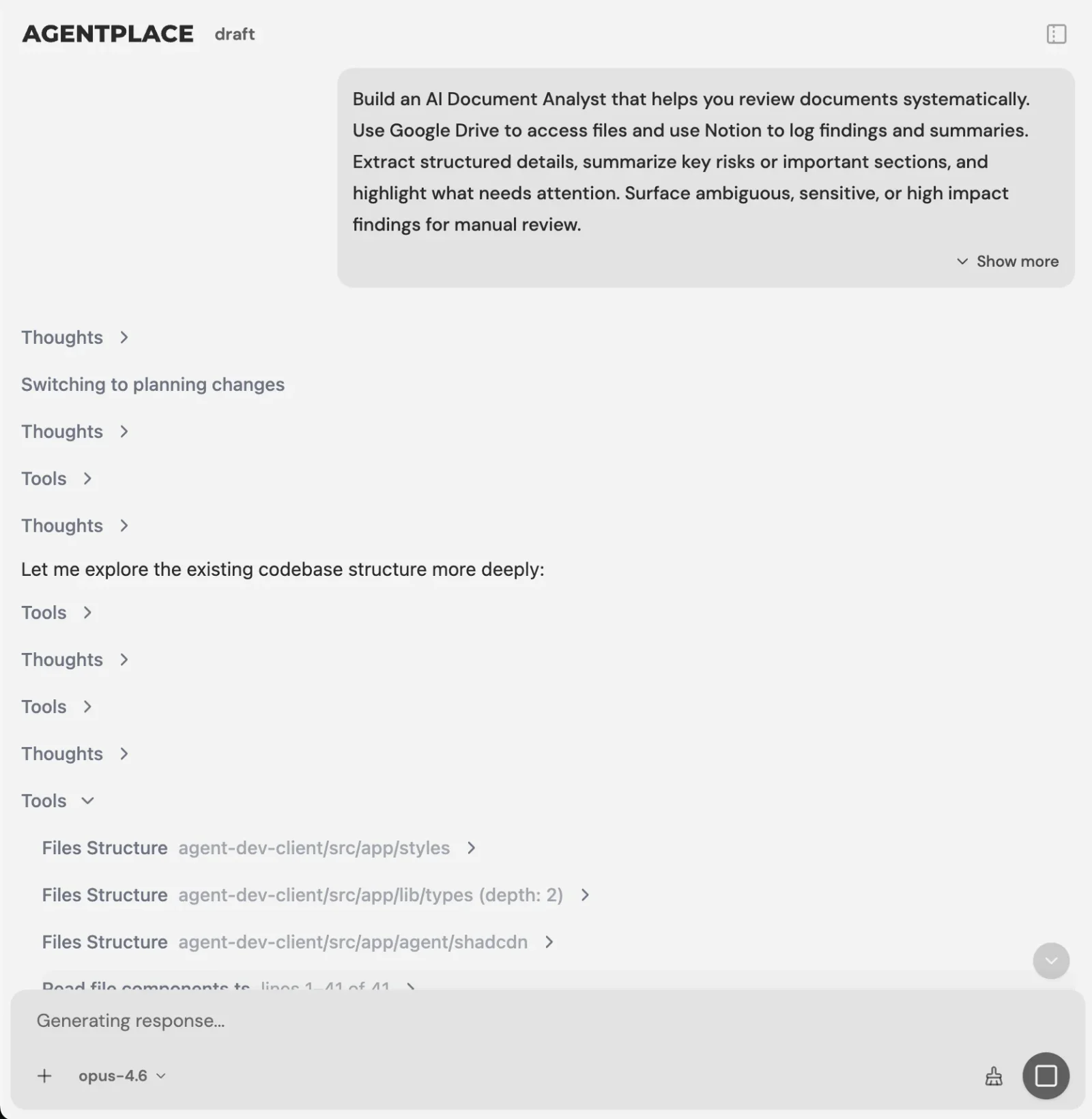 Describe the inquiry service, then supply the business rules it needs.
A starting instruction is:
Build an HVAC inquiry agent that answers approved service questions, checks our service area and collects the information needed for a diagnostic appointment. Use our current booking route. Add direct calendar actions only after testing them, and send urgent or unclear requests to our team.
Phone support is described in the public product reference. Configure the phone channel and any separate missed-call SMS trigger for the workflow you need. Test those channels independently; a successful web conversation does not verify a phone setup.
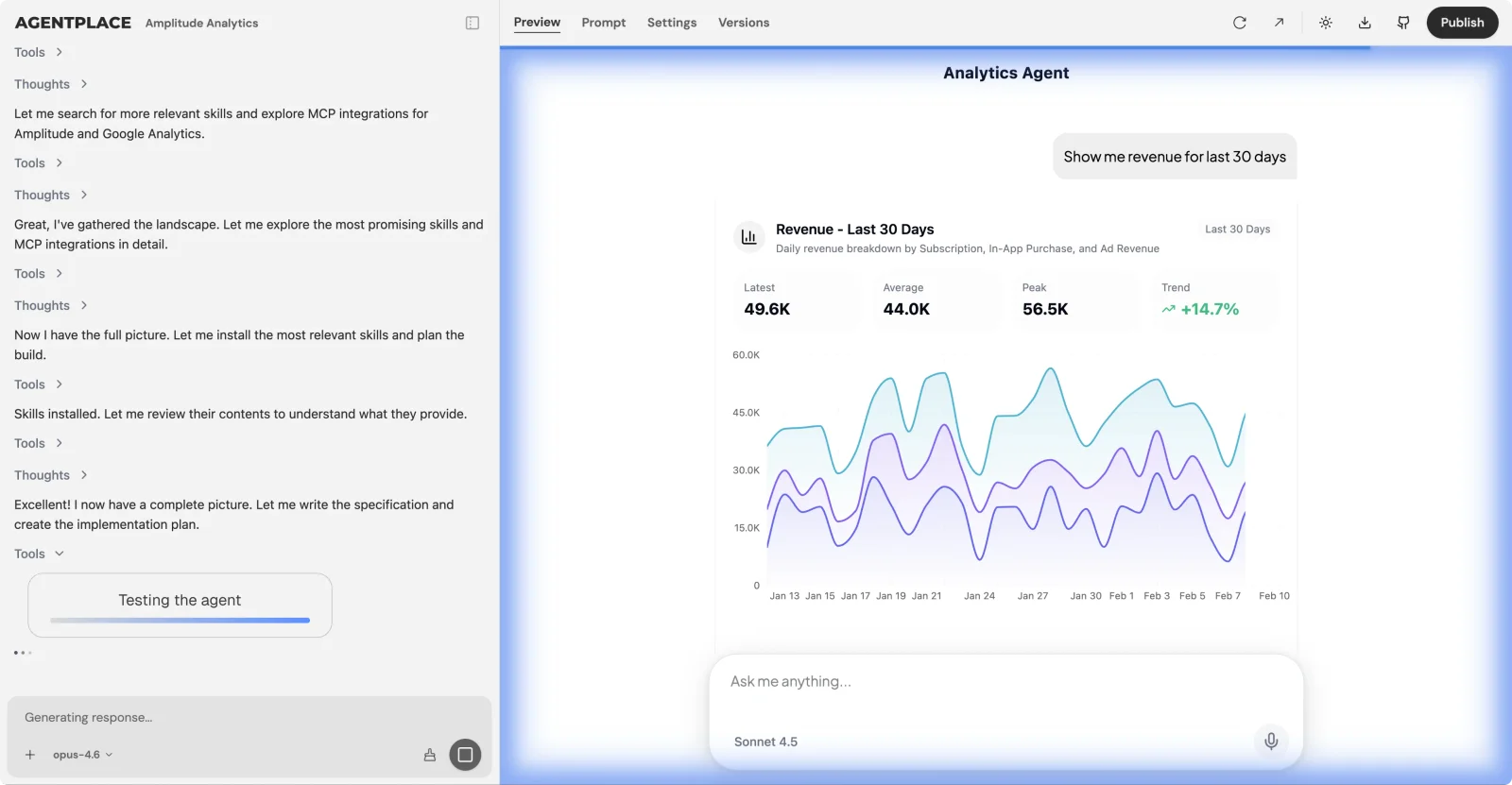 Review the conversation and verify the resulting records and handoffs.
Link to the agent from your existing site or customer messages. A full website replacement is not required. Keep your FSM as the operational record and check current plans, connection costs and usage against normal and peak-season demand.
What Does a Five-Minute Response Actually Look Like?
The following is an illustrative sequence, not a promised completion time.
| Event | What the homeowner sees | What your team records |
|---|---|---|
| Inquiry arrives | Acknowledgment, if used | Original timestamp |
| First useful reply | “We cover [area]. Our diagnostic fee is [approved fee]. What address and issue should we use?” | Useful-reply timestamp |
| Required details collected | A concise summary to confirm | Qualification timestamp and missing fields |
| Appointment options checked | Only available, permitted choices | Source of availability |
| Calendar accepts the booking | Confirmed date/window and reference | Booking ID and timestamp |
| Calendar cannot confirm | A clearly labeled request or human route | Reason and responsible person |
For an urgent or uncertain request, use the company’s escalation path instead of continuing the ordinary booking sequence. Do not delay emergency instructions to complete lead qualification.
One useful first-message pattern is:
This is [Business]. We received your request about [issue]. We serve [area], and our diagnostic visit is [approved fee and terms]. What service address should we check?
How Much Revenue Does a Slow Response Cost My Business?
Short answer: it scales with lead volume, so the contractors buying the most leads lose the most. Work it out with your own numbers rather than an industry average. The model needs four inputs: monthly leads, your current booked rate, the booked rate you would reach with a sub-five-minute response, and your average job value.
The table below uses a $1,400 average job and a jump from a 28% booked rate to 45%. Both figures are illustrative. Substitute yours.
| Monthly leads | Booked now (28%) | Booked at sub-5-min (45%) | Extra jobs per month | Extra revenue per year |
|---|---|---|---|---|
| 50 | 14 | 22.5 | 8.5 | $142,800 |
| 150 | 42 | 67.5 | 25.5 | $428,400 |
| 400 | 112 | 180 | 68 | $1,142,400 |
Illustrative model, not measured results. Multiply your own lead volume, booked-rate delta and average job value. Even a five-point improvement in booked rate changes the annual number substantially at any of these volumes.
Two things to notice. The gain scales with lead volume, so the contractors spending most on lead generation have the most to recover. And the cost of the fix does not scale the same way, because software pricing is broadly flat.
How Do You Measure Speed to Lead?
Use the same event definitions across channels, then review these measures together.
| Measure | Calculation | What it reveals |
|---|---|---|
| Useful first-response time | Useful reply timestamp minus original arrival | How long the customer actually waits |
| Response coverage | Inquiries receiving a useful reply / all eligible inquiries | Requests hidden by response-time statistics |
| Qualification time | Required details complete minus arrival | Whether the conversation progresses |
| Qualified-to-booked rate | Confirmed bookings / qualified eligible requests | Whether the next step becomes an appointment |
| Booking time | Calendar confirmation minus arrival | Total elapsed time to the appointment outcome |
| Handoff completion | Acknowledged handoffs / attempted handoffs | Whether staff actually receive exceptions |
Report the median and 90th percentile of response time, plus the number still unanswered. Split daytime from after-hours and distinguish routine booking requests from quotes and urgent calls. Do not interpret a better median as improvement if the unanswered share rises.
For a before-and-after pilot, keep definitions constant and compare similar channels, job types and availability. Count corrections, cancellations and staff handling time. A faster response with an incorrect booking is not an improved result.
What Tools Improve Speed to Lead for HVAC Contractors?
Choose the tool for the delay you measured:
- Unanswered calls need acknowledgment: evaluate an existing missed-call text-back feature and assign the reply owner.
- Calls need a live conversation: test a staffed or AI receptionist with the company’s own rules.
- Attribution and call intake are missing: evaluate a call-tracking product with the required intake action.
- Customers need a guided service request: build an Agentplace agent with its own page and configured channels, then verify any scheduling connection.
Several native FSM products now provide AI reception as well as text-back. Do not assume a separate agent is the only tool that can continue a conversation. The missed-call comparison covers current product distinctions; the after-hours guide covers night routing and human escalation.
What We Found That Others Won’t Tell You
Speed can move a bottleneck without removing it. If an instant acknowledgment is followed by a long wait for the first useful answer, the customer still experiences the delay. Measure both events.
A reply target also needs capacity planning. Review coverage at peak volume, the maximum time before staff take over and what happens when the automated system is unavailable. Do not promise a response standard that nobody owns.
Finally, after-hours demand and urgency vary by business and season. Count your own inquiries and completed jobs before assigning more coverage to a channel. Use response time alongside booking accuracy, availability and human handoff results.
Which Mistakes Kill Speed to Lead?
Six, and the first two are the ones that make a slow shop look fast on paper.
- Measuring the average instead of the median, so a few catastrophic delays disappear into the mean.
- Treating one automatic text as a completed response.
- Leaving the web form on a different clock from the phone line.
- Promising an arrival window before dispatch has confirmed it, which turns a fast win into a bad review.
- Buying a tool that only covers business hours when most of the loss happens outside them.
- Never checking what the automated first message actually says. If it reads like spam, it gets ignored no matter how fast it fired.
How Do You Build a Sub-Five-Minute Response System in a Week?
One channel, seven days. Fixing every channel at once is how this stalls.
Day 1. Measure. Pull last month’s leads by channel and calculate median first-response time for each. Note the share that arrived outside business hours.
Day 2. Pick the leakiest channel. It is usually the website form or after-hours calls. Fix one channel properly before touching the others.
Day 3. Write the first response. Three scripts, using the four rules above. Have someone outside the business read them and say whether they would reply.
Day 4. Automate it. If the leaky channel is the phone and you already run Housecall Pro or Jobber, switch their text-back on now. It is the quickest thing on this list. If the leaky channel is the website, or if you want the reply answered rather than acknowledged, build the agent instead.
Day 5. Connect the calendar. A fast reply that cannot book anything just adds a step. Whatever you set up has to write into the scheduling system your team already uses.
Day 6. Test it as a customer. Submit your own form at 10pm. Call your own number while everyone is out. Read what comes back.
Day 7. Set the review. Put median first-response time on whatever weekly number you already look at. It is the only way the improvement survives the next busy month.
The one-page checklist, if you want to run this without re-reading the guide:
- Median first-response time measured per channel, phone, form, LSA and text
- Share of leads arriving outside business hours, calculated
- Leakiest channel identified and fixed first
- First reply written to the four rules, and read aloud by someone outside the business
- Automation switched on for that channel
- Booking written into the scheduling system the team already uses
- Your own form submitted at 10pm as a test, and the reply read
- Median first-response time added to the weekly numbers you already review
Improve the part of the workflow you can measure: waiting for a useful reply, gathering the required details, or confirming an eligible appointment. Test an Agentplace inquiry agent on one channel and compare those events separately before expanding coverage.
Questions and answers
Frequently asked questions.
What is speed to lead in HVAC?
It is the elapsed time between the original customer inquiry and a useful first reply. Record an acknowledgment, completed qualification and confirmed booking as separate events.
How fast should an HVAC contractor respond?
Five minutes can be a useful first operating target for a relevant reply. Review it against your channel, staffing and demand. No response-time threshold guarantees a booking.
What do the 100x and 21x figures mean?
They come from the 2007 Lead Response Management analysis of web-generated leads at six companies. They refer to contact and qualification odds at five versus thirty minutes, not HVAC sales or job completion.
Does an automatic text count as a useful response?
An acknowledgment proves the message was received. Count a useful reply when it answers something relevant or moves the customer to the next step, and keep both timestamps if your workflow uses both.
How can Agentplace help?
A configured HVAC inquiry agent can answer approved questions, check service-area information and collect a usable request on its own page or connected phone channel. Direct scheduling requires a tested connection and a successful calendar write.
Which metrics should I track?
Track useful-response median and 90th percentile, unanswered inquiries, qualification time, confirmed bookings and acknowledged handoffs. Split results by channel and time of day, and count corrections as well as speed.
Put this into practice
See the customer experience.
Explore a concrete example related to this article, then adapt the agent to your business.
Create my AI agentStart free with your business idea. The AI builder can help you explore it and create your agent. No technical specification needed. Sign in to continue. Pricing and limits · How the builder works