
How to Build an AI Agent for Your Business
The short answer
To build an AI agent for your business, choose one customer task, describe the desired result, supply accurate business knowledge, and connect only the necessary tools. In Agentplace, refine the agent by talking to the Builder, test its own page and actions in preview, then choose when to publish.
Key takeaways
- The finished product is a customer-facing agent with its own interface and URL.
- A short business brief is enough to start discussing or building the idea.
- Test the customer result and connected actions before publishing.
Build an AI agent around one job your customers need completed. The useful starting point is a plain-language description such as “Help my clients choose the right service and send my team a complete request.”
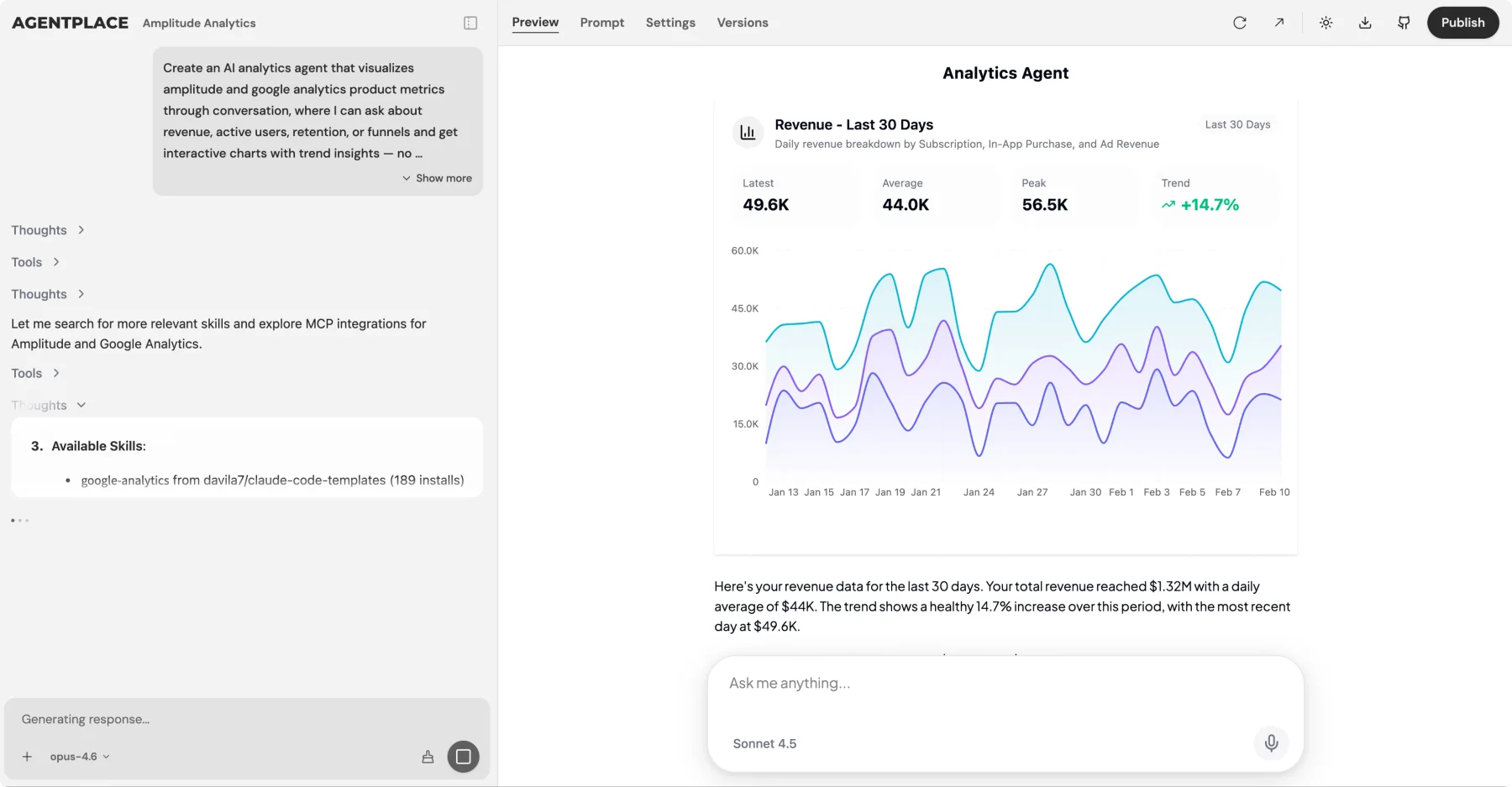
An Agentplace agent gets its own page and URL. Customers open it in a browser, explain what they need, and receive a useful result. The agent can change the interface around that result: a comparison, plan, itinerary, estimate, or next-step form. Business knowledge and authorized connections let it continue from conversation into work.
1. Choose the first customer task
Select a task with a clear outcome and information you can provide. Avoid beginning with “handle everything for my business.”
| Business | First task | Result the customer receives |
|---|---|---|
| Travel advisor | Refine a trip around dates, interests, and budget | A tailored itinerary and advisor handoff |
| Repair company | Collect the details of a service request | A structured request for scheduling |
| Training provider | Match a learner’s goals to suitable offerings | A reasoned shortlist and next step |
| Professional service firm | Prepare a consultation brief | Organized context for the specialist |
These are illustrative scopes. Define which actions are ready for the first version and which need staff. A request prepared for scheduling and a confirmed appointment are different promises.
2. Tell the Builder what you want
Open the Agentplace Builder, sign in if needed, and describe the business task. You can ask it to explore the idea before it starts creating.
A useful example brief is:
I run a travel advisory business. Help clients build a first itinerary around their dates, budget, and interests using my recommendations. Let them refine the plan and send the agreed request to my team. We confirm availability and final prices ourselves.
This tells the Builder who you serve, what the agent should accomplish, and the important boundary. You can add preferences and requirements during the conversation. There is no need to begin with component names, tool schemas, or a model architecture.
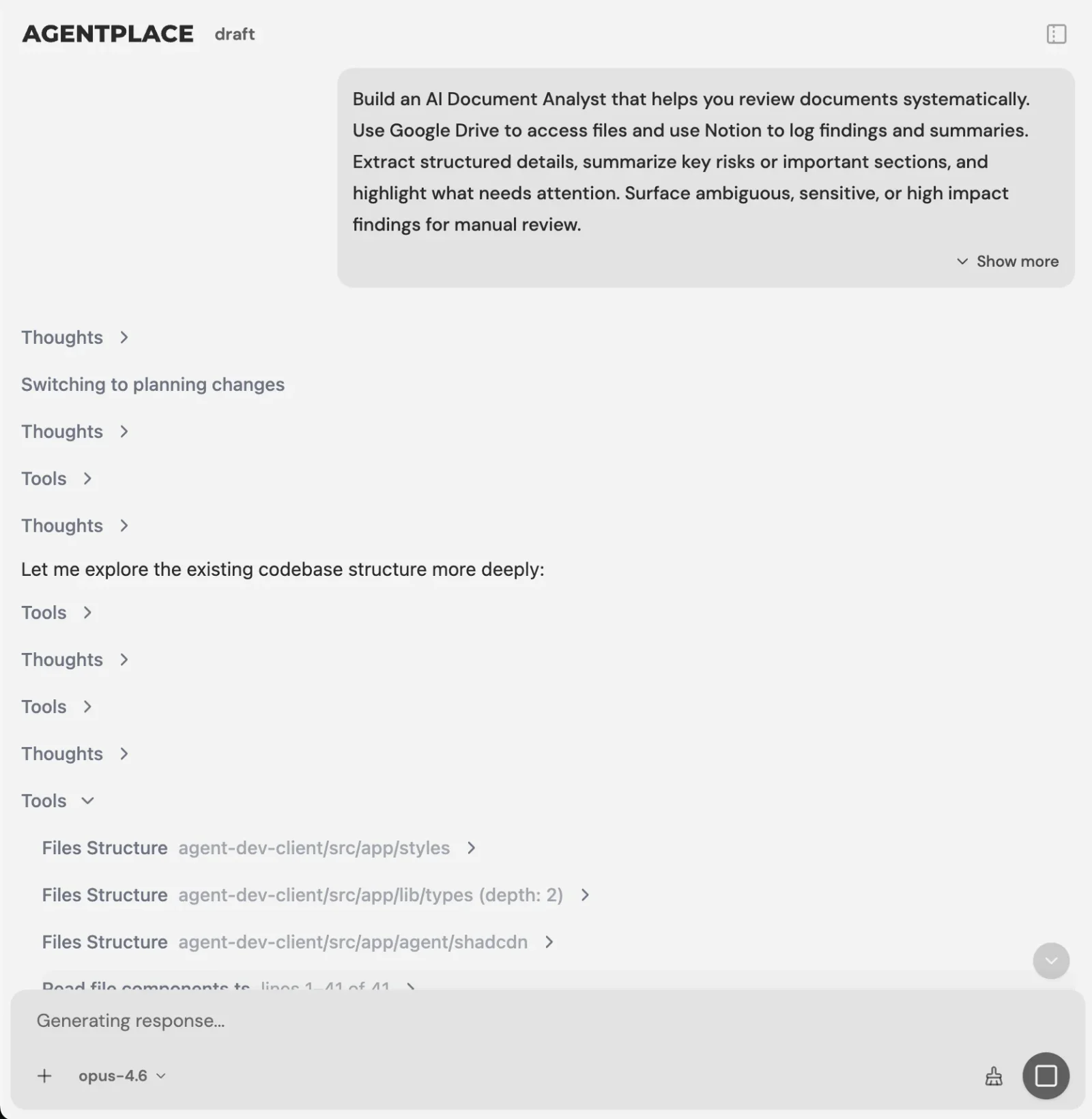 Example Builder screen. Use the conversation to explain the business outcome and refine the agent.
3. Supply your business knowledge
Share an accessible website, upload relevant files, or describe the materials you have. The Builder does not automatically know your policies, accounts, or private information.
For the travel example, useful inputs include destination recommendations, service scope, planning preferences, and the rules for handing a request to an advisor. Keep public planning information separate from private client records.
Resolve contradictions before launch. If two documents have different prices or conditions, identify which is current. Add a rule for questions the materials do not answer. The data governance worksheet helps you decide which information belongs in the agent.
4. Connect tools that complete the task
Add a connection when the customer result requires it. A planning agent can produce a useful itinerary from approved information. A booking agent promising confirmed appointments needs suitable authorized access to the scheduling system.
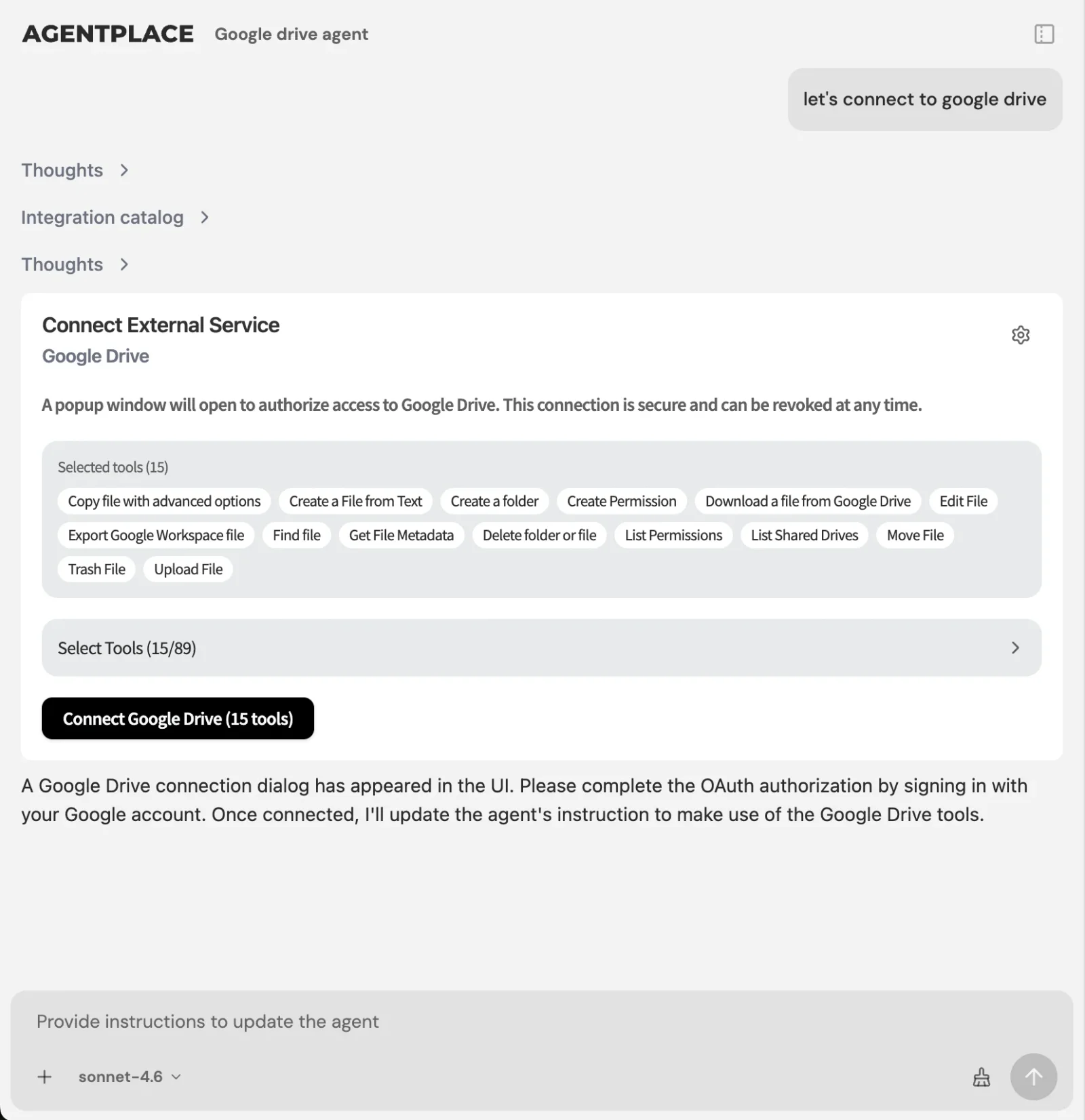 Example connection screen. Review the actual actions and permissions needed for your task.
Ask the Builder to explain what the connection will do and what access is required. The available authentication method depends on the service. Verify the specific action instead of assuming every app connection offers every feature.
For the travel agent, the first connected step might be sending an approved trip brief to the advisor’s existing system. Live supplier inventory and payment would be separate capabilities to configure and test when needed.
5. Review how the agent changes its page
Test the finished agent as a customer. Its interface should make the result easier to understand and use as the conversation develops.
In the travel example, changing a trip from five days to four should update the plan coherently. The agent should retain the relevant budget and preferences, explain uncertain costs, and avoid promising supplier availability it has not checked.
Review on a phone as well as a desktop. Check whether the customer can see what changed, compare options, and understand the next step. A visually attractive screen still needs to show the correct information.
6. Test ordinary requests and exceptions
Ask the Builder to test the experience, then review the important business scenarios yourself. Automated checks are useful evidence; they do not replace your judgment about the service promise.
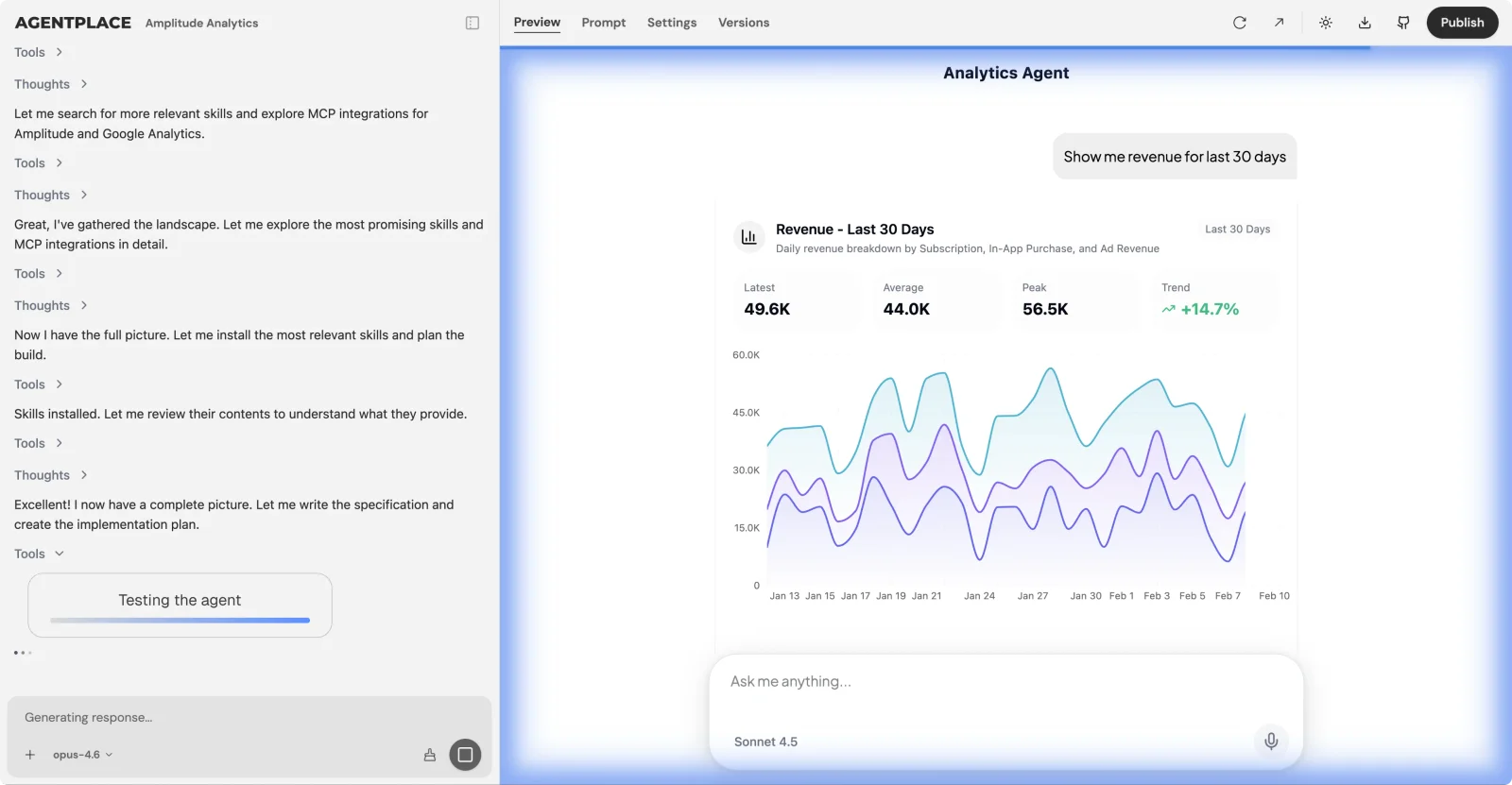 Example testing view. Inspect the expected result, observed behavior, and unresolved issues.
| Scenario | What to verify |
|---|---|
| Ordinary request | The customer reaches a useful result |
| Missing details | The agent asks relevant questions |
| Change of mind | The displayed plan and assumptions update |
| Unsupported request | The agent explains its scope and offers a next step |
| Connection failure | No false completion message appears |
| Human decision needed | The responsible person receives the right context |
For connected actions, inspect the actual destination record. For plans or estimates, check their inputs and assumptions. The hallucination prevention guide provides additional examples.
7. Publish when the customer service is ready
Publishing makes the finished agent available through its URL with the access you choose. Opening a Builder link or creating a project does not itself publish the agent.
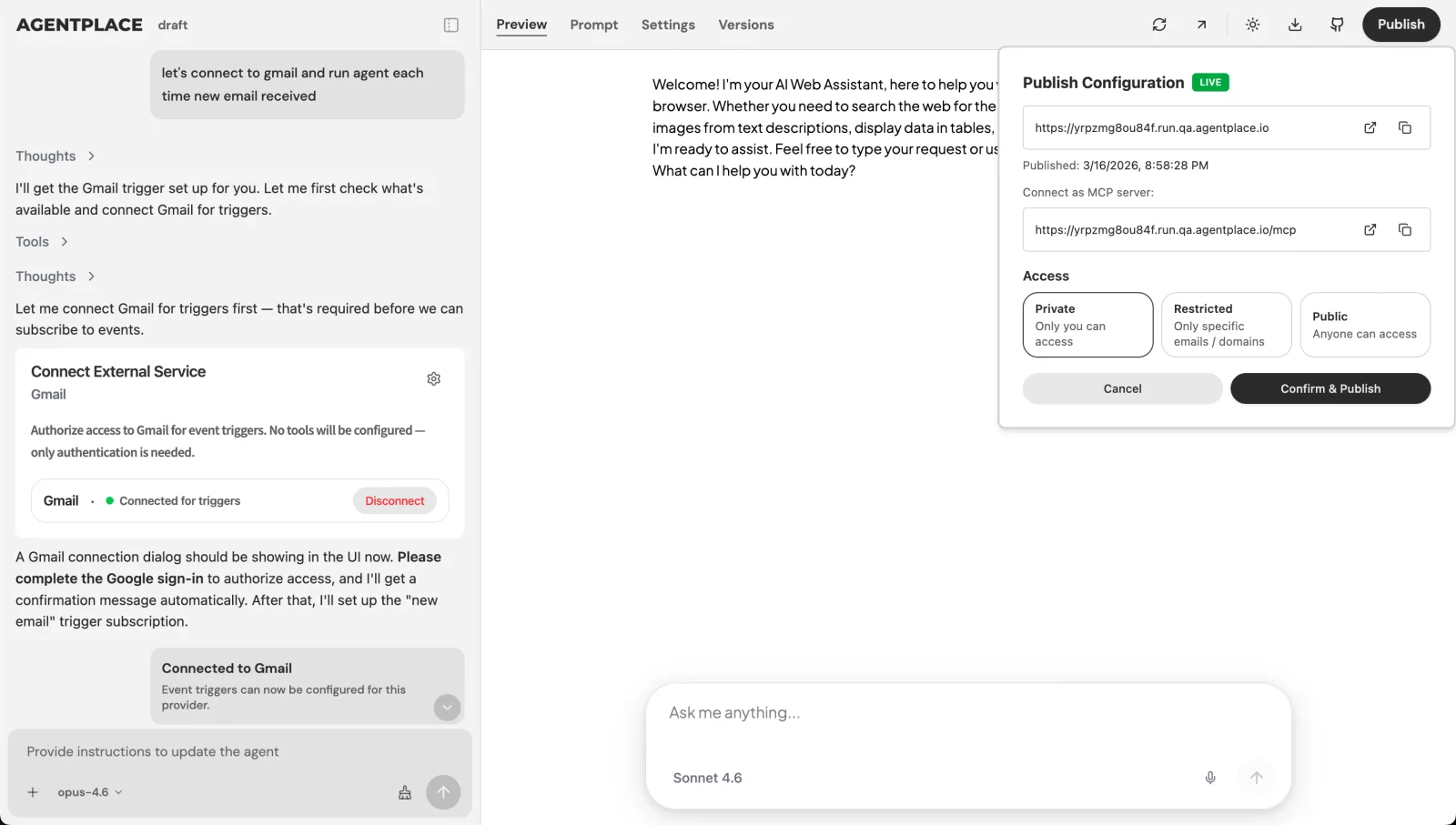 Example publishing view. Review who can access the finished agent before sharing its link.
Begin with a manageable group of customers and a clear owner for exceptions. Share the link where the task naturally occurs, such as a relevant service page or an inquiry reply. Watch whether customers complete the result and whether staff receive usable information.
What should you improve after launch?
Review incomplete tasks, wrong assumptions, repeated questions, and manual corrections. Fix the most consequential issue first and repeat the relevant tests.
Use the performance scorecard to measure customer outcomes and the cost worksheet to track operation. Agentplace offers a free start; current pricing explains credits and paid options without relying on outdated allowances.
Choose a customer task template or begin with your own brief. The first goal is a working service that helps your customers finish something useful.
Questions and answers
Frequently asked questions.
Do I need a complete specification before opening the Builder?
No. Start with your business, the customers you serve, and the result you want them to receive. The Agentplace Builder can discuss the idea and ask clarifying questions before creating. Supply real business rules and required systems when known; you do not need to design the technical architecture.
Can I create an agent without an existing website?
Yes. You can describe your business and provide materials as the idea develops. An existing website can be a useful source of service information, but the Builder can work from a conversation and uploaded materials too. Check the resulting content and remove assumptions before using it with customers.
Does opening a template publish an agent?
No. A template creation link opens the Agentplace workspace, where you may need to sign in. It requests a project and passes a business brief to the Builder. You then review and refine the experience. Publishing the finished agent and choosing its access are separate owner decisions.
How much does it cost to start?
Agentplace offers a free plan and paid options. Check the current pricing page for credits, allowances, and limits. Usage depends on the work and model, so a credit is not the same as a customer message. Measure complete customer tasks in your pilot before estimating ongoing costs.
Put this into practice
See the customer experience.
Explore a concrete example related to this article, then adapt the agent to your business.
Create my AI agentStart free with your business idea. The AI builder can help you explore it and create your agent. No technical specification needed. Sign in to continue. Pricing and limits · How the builder works