
How to Take Restaurant Reservations When Nobody Can Answer the Phone

The short answer
Decide which bookings you can accept automatically, which need a manager, and where guests can reach you when nobody can pick up the phone. An AI agent built with Agentplace can collect the reservation details, apply your written seating rules, offer the options you allow, and pass unusual requests to a named staff member.
Key takeaways
- Guests who cannot get an answer about a table for tonight often contact another restaurant instead, so a missed call can mean a lost booking.
- Most restaurants need six things to accept a reservation: the date, the time, the party size, a name, contact details, and their own seating rules.
- An AI agent built with Agentplace can collect those details, apply your written rules, and offer the options you have approved in advance.
- An agent should not describe a table as confirmed unless it has reliable availability information through a supported, authorized connection to your reservation system.
- Large parties, specific table requests, private-event dates, deposits and food-allergy questions should go to a staff member every time.
How can a restaurant take reservations when staff are too busy to answer the phone?
A restaurant can take reservation requests without answering every call by giving guests another way to book, such as an online reservation page or a messaging channel with an AI agent.
The first step is to define your reservation rules. Decide which bookings you can accept automatically, which times and party sizes you can accommodate, and which requests need a manager’s approval.
Then make sure guests can get an answer when they contact you, even during a busy dinner service.
An AI agent built with Agentplace can collect reservation details, apply your written seating rules, offer available options, and pass unusual requests to a staff member. If a supported integration with your reservation system is configured and authorized, it can also write bookings into that system.
If your existing booking platform handles all your reservations and you rarely miss calls, you may not need another tool.
Why do restaurants lose reservations when nobody answers the phone?
Restaurant guests often need an answer right away. If they call about a table for tonight and nobody picks up, they may contact another restaurant instead.
A missed call can mean a lost reservation, especially during dinner service when staff are busy seating guests, serving tables and handling other requests.
Consider a guest who calls at 7:40 p.m. on Friday and asks for a table for four at 8 p.m.
| What happens | What the guest does | What the restaurant gets |
|---|---|---|
| Nobody answers | Calls another restaurant | A potentially lost booking |
| The call goes to voicemail | Moves on without leaving a message | Little or no information |
| Staff promise to call back | Waits briefly or books elsewhere | A request that may already be lost |
| The guest gets an immediate answer | Books an available time or chooses an alternative | An opportunity to secure the reservation |
The goal is not simply to answer every message. It is to help guests make a reservation while they are still looking for a table.
What information does a restaurant need to take a reservation?
Before automating reservation requests, write down the information you need to accept a booking.
Most restaurants need six things:
| Information | Why it matters |
|---|---|
| Date | Determines the service and the applicable booking rules |
| Time | Helps determine whether the requested reservation fits your seating schedule |
| Party size | Determines whether you can accommodate the group |
| Guest name | Identifies the reservation |
| Phone number or other contact details | Lets staff contact the guest about changes |
| Seating rules and restrictions | Defines which requests can be confirmed and which need staff approval |
The first five details come from the guest. The last comes from your restaurant.
Your rules should cover:
- Last seating: For example, 9:30 p.m. Monday through Thursday and 10 p.m. on Friday and Saturday.
- Maximum party size: The largest group that can be booked without manager approval.
- Table duration: How long a table can be held for each party size.
- Table restrictions: Tables that should not be assigned automatically.
- Closed dates: Private events, holidays, or other dates when public reservations are unavailable.
- Deposits: Which bookings require a deposit or additional approval.
These are examples, not universal restaurant rules. Use your own operating policies.
Writing these rules down helps staff and automation handle routine requests consistently.
Where can restaurants receive reservations if nobody answers the phone?
Restaurants can collect reservation requests through their website, an online booking page, social media accounts and messaging channels.
The best starting point is the channel where you currently receive the most unanswered requests.
Common options include:
- Restaurant website: Guests can find a reservation page while looking up your menu, location or opening hours.
- Google Business Profile: Guests may find your restaurant through Google Search or Maps and use the available booking options or messaging features.
- Instagram and Facebook: Guests may send direct messages asking about availability, opening hours or group reservations.
- WhatsApp: Guests can ask about tables and send reservation details through a conversation.
- Phone: Calls still need a plan for busy periods, missed calls and after-hours inquiries.
Available messaging and booking features vary by platform and account configuration.
Review one week of incoming requests. Count how many arrived through each channel and how many received a timely answer. This will help you decide where to start.
If missed phone calls are your main problem, see our guide to restaurant answering services.
What can an AI agent confirm when taking restaurant reservations?
An AI agent can handle reservation requests covered by the restaurant’s written rules. Requests outside those rules should go to a staff member.
For example, a guest might ask:
“Can I get a table for four tonight at 8?”
If 8 p.m. is unavailable and the restaurant has confirmed that another time can be offered, the response could be:
“8 p.m. is unavailable, but we can offer 8:45 p.m. tonight or 7:30 p.m. tomorrow. Which would you prefer?”
The agent should only describe a time as available when it has reliable availability information. Without access to the live reservation system, it should not claim that a table is confirmed.
Different requests also require different levels of approval.
| Guest request | What the agent can do | When staff need to step in |
|---|---|---|
| A table for four at a requested time | Check the applicable rules and offer a supported option | When availability cannot be verified or an exception is needed |
| A request for a specific table | Record the guest’s preference | When a staff member must assign the table |
| A party of 20 | Collect the date, party size, occasion and contact details | When pricing, deposits, menus or approval are required |
| A question about food allergies | Relay verified ingredient information, if available | The kitchen must handle allergy-related clearance |
| A request on a date reserved for a private event | Explain that public reservations are unavailable | When a manager may approve an exception |
Food allergies require particular care. An agent should not make safety assurances based on incomplete information. Allergy questions that require a safety decision must be referred to the kitchen or an appropriately qualified staff member.
Large groups also need a clear handover process.
For example, a guest might ask to book for 14 people for a family celebration. If the restaurant only accepts groups of up to eight without manager approval, the agent can collect the details and send the request to the manager.
A useful handover tells the guest who will follow up and when. It should also collect the contact details needed to complete that follow-up.
How do you set up an automated restaurant reservation process?
You can start by defining your booking rules, choosing where to receive requests, and testing the process with real guest questions.
1. Write down your reservation rules
Define your last seating times, maximum party sizes, table durations, closed dates and deposit requirements.
Do this before choosing an automation tool. The tool needs clear rules to determine which requests it can handle.
2. List the requests that require staff approval
Identify situations that should never be confirmed automatically.
These might include large parties, private events, requests for specific tables, allergy-related questions, or bookings that require a deposit.
Assign a staff member to each type of request.
3. Choose where guests can contact you
Start with the channel that receives the most unanswered inquiries.
For example, if guests regularly message you on your website or Instagram while staff are serving dinner, focus on making those requests easier to handle.
You do not need to automate every channel at once.
4. Connect your reservation system if supported
If your tool supports an integration with your reservation platform, configure and authorize the required access.
This can allow the agent to check availability or write bookings into the system, depending on the integration’s capabilities and permissions.
If there is no supported connection, the agent can still collect reservation requests and send them to staff. In that case, explain clearly that the request has been received but the booking is not yet confirmed.
5. Test the process with real reservation requests
Use examples from your recent inbox, including routine requests and unusual situations.
Test questions such as:
- Can I book a table for two at 7 p.m. tonight?
- Do you have space for 12 people on Saturday?
- Can we reserve a window table?
- Can we come in on the date of your private event?
- Is this dish safe for someone with a food allergy?
Check that the agent asks for missing details, follows your rules, avoids unsupported promises, and sends requests to the right person.
What tools can help restaurants take reservations without answering every call?
Several types of tools can help restaurants manage reservation requests. The right choice depends on whether you need online booking, automated responses, human phone coverage, or a combination.
| Tool type | What it does | Main limitation |
|---|---|---|
| Online reservation platforms, such as OpenTable, Resy and SevenRooms | Manage online bookings, tables, covers and floor plans | Guests need to reach the booking flow, and features depend on the platform |
| AI agents built with Agentplace | Collect reservation details, apply business rules, interact with guests and route requests through supported channels | Live availability checks and booking creation depend on supported integrations and permissions |
| Social media and messaging autoresponders | Send automatic replies to incoming messages | Basic replies may not collect all booking details or check availability |
| Website contact forms | Collect reservation requests in writing | Staff still need to review requests and respond |
| Live answering services | Have a person answer calls or take messages | What they can confirm depends on their access to your reservation system and operating procedures |
These are descriptions of tool categories, not results from comparative performance testing. Features vary by provider and setup.
For many restaurants, an online reservation platform remains the main system for managing tables and bookings. An AI agent can complement it by helping guests communicate their requests and by handling routine questions.
How does Agentplace help restaurants take reservation requests?
Agentplace is a platform for creating AI agents that serve customers and help businesses run their work.
With Agentplace, a restaurant can create an AI agent with its own web page and URL. Guests can use the page to interact with the agent through text, voice and an interface tailored to the task.
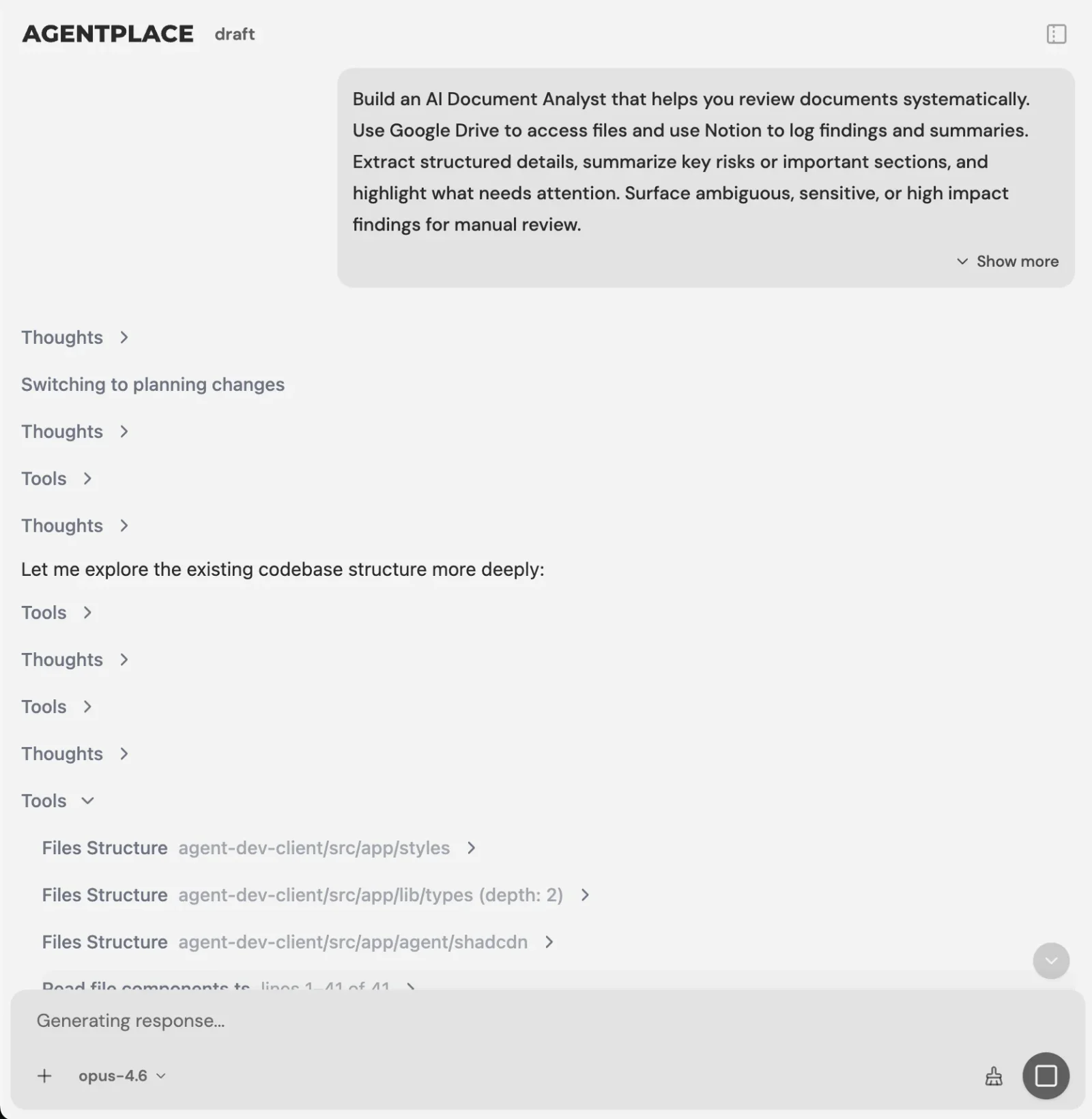 You describe the reservation rules in plain language, and the AI Builder turns them into an agent you can test before publishing.
A restaurant can describe its reservation rules in plain language. The AI Builder helps turn those requirements into an agent that can be tested before publication.
A typical reservation process works like this:
- The guest opens the agent’s page or uses a supported connected channel.
- The agent asks for the date, time, party size, name and contact details.
- It applies the restaurant’s written seating rules.
- Where reliable availability information is available, it can offer a suitable time.
- Where a supported and authorized integration allows it, the agent can write the booking into the restaurant’s reservation system.
- Requests that require approval are sent to the designated staff member with the information already collected.
For example, you could describe your requirements to the AI Builder like this:
“Create a reservation agent for our restaurant. Ask guests for their preferred date, time, party size, name and phone number. Accept routine reservations for parties of up to eight, following our seating times and table durations. Do not assign specific tables or accept bookings on dates reserved for private events. Send larger groups and requests requiring manager approval to our restaurant manager. Refer allergy-related safety questions to the kitchen.”
You can then review the agent’s behavior, test different requests, and decide when to publish it. No coding is required to start building the agent.
A few details matter when setting it up:
- Keep your reservation platform: Your existing system remains responsible for its tables, covers and floor plan.
- Configure supported integrations: Agentplace can connect through supported integrations and compatible MCP tools, subject to the access and permissions you authorize.
- Verify live availability: Do not assume that an agent can read your current table plan or create confirmed bookings without a working, authorized connection.
- Choose your guest channels: The agent’s web page is a primary way for guests to interact with it. Additional channels, such as phone, WhatsApp or Telegram, depend on the available setup.
- Understand pricing: Agentplace offers a free plan and paid plans that use AI credits. Credit usage is not necessarily equivalent to one credit per guest message. See the Agentplace pricing page.
You can also explore the AI reservations agent with Telegram access as a starting point.
When does a restaurant not need an AI reservation agent?
An AI agent is not necessary for every restaurant.
You may not need one if:
- Your online booking platform handles all reservations: Guests can book successfully, and missed calls are rare.
- A staff member already answers calls and messages promptly: Your current process works.
- You need a better table-management system: Choose a reservation platform that manages your floor plan, tables and covers.
- Your main problem is low demand: Empty tables require a marketing or customer acquisition strategy, not just faster responses.
- Your reservation rules are unclear: Define your policies before automating them.
An AI agent is worth considering when guests regularly contact your restaurant but staff cannot respond during service, after hours, or across several channels.
Restaurant reservation automation checklist
Before you launch an automated reservation process, check that you have:
- Defined your last seating times and maximum party sizes.
- Documented table durations, restricted tables, closed dates and deposit requirements.
- Identified requests that require staff approval.
- Assigned a person to handle exceptions and specified a follow-up time.
- Chosen the channel with the most unanswered requests.
- Confirmed whether your tool can access live availability and create bookings.
- Set clear rules for allergy-related questions.
- Tested the process using real examples from your inbox.
- Started tracking response time, confirmed reservations and correct handovers.
Related reading: Restaurant answering services · How to respond to inquiries faster
Bottom line
Start by documenting the reservation rules your staff already follow. Then give guests a way to get an answer when your team is busy.
If your existing booking platform works well and guests can already book online, you may only need to improve how you handle incoming calls and messages.
If reservation requests regularly go unanswered during service, an AI agent built with Agentplace can collect guest details, apply your written rules, offer suitable options when availability can be verified, and route exceptions to staff.
It can also write bookings into your reservation system when a supported integration is configured and authorized. Without that connection, it should collect requests without presenting them as confirmed reservations.
The goal is simple: help more guests get a timely answer without asking your staff to handle every routine request by hand.
Questions and answers
Frequently asked questions.
How can a restaurant take reservations when nobody can answer the phone?
Give guests another way to reach you, such as an online reservation page or a messaging channel with an AI agent. Define which bookings you can accept automatically and which need a manager, then make sure a request gets an answer while the guest is still looking for a table.
What information does a restaurant need to take a reservation?
The date, the time, the party size, a guest name and contact details. The time and the party size determine whether you can accept the booking at all. Without contact details, staff cannot reach the guest if the reservation has to change.
Can an AI agent confirm a table on its own?
It can confirm what your written rules already cover, and it can write the booking into your reservation system where a supported integration is configured and authorized. Without reliable availability information, it should collect the request and state clearly that the booking is not yet confirmed.
What should an AI agent never promise a restaurant guest?
A specific table, a party larger than your stated limit, a reservation on a date held for a private event, or that a dish is safe for a food allergy. Each of these requires a staff member, so the agent should collect the request and name who will follow up.
Which channels should take reservation requests?
The channels your guests already use. For most independent restaurants that means the website, the Google Business Profile, Instagram or Facebook messages, and WhatsApp. Review a week of incoming requests before you decide, because adding a channel nobody messages you on gains nothing.
Does this replace OpenTable, Resy or SevenRooms?
No. Your reservation platform remains responsible for tables, covers and the floor plan. An AI agent can answer the request, apply your rules, and write the reservation into that platform where a supported integration and your permissions allow it.
What should happen when the agent cannot answer a request?
It should hand the request to a named staff member together with the details it has already collected, and tell the guest who will follow up and when. A handover that promises only that someone will be in touch leaves the guest where voicemail does.
How do you know whether an automated reservation process is working?
Track how many requests received an answer within five minutes, how many became confirmed reservations, and how many handovers reached the right person. Compare the first number with how many calls went unanswered before. Review it weekly during service rather than monthly.
Put this into practice
See the customer experience.
Explore a concrete example related to this article, then adapt the agent to your business.
Create my AI agentStart free with your business idea. The AI builder can help you explore it and create your agent. No technical specification needed. Sign in to continue. Pricing and limits · How the builder works