
How Do I Fill Last-Minute Gaps in the Salon Schedule?

The short answer
Contact the clients most likely to want the appointment, starting with the waitlist for that service and stylist, then clients due for their next appointment. Widen the offer only if the slot remains open. An AI agent built with Agentplace can apply that order, prepare targeted offers and help manage replies.
Key takeaways
- A canceled appointment leaves time you may not be able to sell again, especially when an opening appears a few hours before the service.
- Offer the appointment at its regular price first. Discounting the whole client list can reduce revenue from appointments that would have booked anyway.
- A targeted message that includes the time, stylist, service, price and duration gives the client everything they need to decide.
- A waitlist is not permanently current, so check when each client asked and whether they still want that service.
- A customer-facing AI agent built with Agentplace can apply your written contact order, prepare the targeted offers and help manage the replies.
- Calendar checks, messaging and booking each require supported connections, authorization and safeguards against double booking.
To fill a last-minute cancellation, contact clients who are most likely to want the appointment. Start with the waitlist for that service and stylist, then contact clients due for their next appointment. Expand to other clients only if the slot remains open.
Use this order:
- Contact clients on the waitlist for the service and stylist.
- Contact clients who are due for their next appointment.
- Check whether a client booked later that day can move to the earlier slot.
- Offer the opening to a wider group, or post it on social media.
- Consider a discount only after targeted offers at the regular price have failed.
An AI agent built with Agentplace can help follow this process. With supported calendar and messaging integrations, the required permissions and appropriate client consent, it can identify an opening, prepare targeted offers and help manage replies. Without those connections, it can prepare a shortlist and draft messages for your team to send.
If cancellations happen several days in advance, your booking software’s built-in waitlist may be all you need.
Why do last-minute salon cancellations cost money?
A canceled appointment leaves time that you may not be able to sell again. If a color appointment opens at 9 a.m. for 2 p.m. the same day, you have only a few hours to find another client who wants the service and can arrive in time.
Common reasons salons fail to fill these openings include:
- Nobody owns the task. The stylist is working with a client while the front desk handles calls and check-ins.
- The waitlist is outdated. Some clients have already booked elsewhere or no longer want the service.
- The offer reaches the wrong people. A general message may go to clients who cannot come in on short notice.
- The message creates extra work. If clients have to call back to learn the service, price, stylist and available time, they may not respond.
A reliable process helps you contact the right clients quickly, without interrupting appointments already in progress.
Why should you offer the appointment at the regular price first?
A discount can help fill an opening, but it should not be your first response to every cancellation.
Sending discounts to your entire client list can reduce the revenue from appointments that would have booked at the regular price. It can also encourage clients to wait for a promotion instead of booking ahead.
Start with clients who have already expressed interest in the service or the stylist.
A general discount message:
“Cancellation today! Get 20% off color at 2 p.m. Book now.”
A targeted offer:
“Hi Priya, it’s Dana at Studio North. I’ve had a 2 p.m. opening today. It’s your usual root touch-up, $95, and takes about 90 minutes. Would you like it?”
The targeted message gives the client the details needed to decide: the time, the stylist, the service, the price and the duration.
These figures are illustrative. Use your actual service menu and prices.
Offer the appointment at its normal price first, and consider a discount only when it makes business sense and your pricing rules allow it.
Who should you contact first when an appointment opens?
Use a consistent contact order, and adjust it to the service, the client’s preferences and the amount of time remaining.
| Order | Who to contact | Why | What to check |
|---|---|---|---|
| 1 | Waitlist for the same service and stylist | These clients have already expressed interest | Confirm that the request is still current |
| 2 | Clients due for their next appointment | The timing may fit their usual booking cycle | Avoid pressuring clients who have not asked for an appointment |
| 3 | Clients booked later that day | They may prefer an earlier time | Confirm they genuinely want to move before changing the original appointment |
| 4 | Other clients who have opted in to appointment offers | A wider audience may include someone available at short notice | Match the offer to their service preferences |
| 5 | Public social posts or promotions | These can reach people outside your existing client list | Allow enough time for a new client to understand the offer and book |
A waitlist should not be treated as permanently current. Check when each client asked to be notified and whether they still want that service.
Contact clients individually where possible, particularly when an offer depends on a specific stylist or service.
How do you fill a same-day cancellation step by step?
1. Check which services fit the opening
The canceled service does not always need to be replaced with the same service. Look at the available time, the stylist’s skills and any preparation requirements.
For example, a 150-minute opening might fit a root touch-up followed by a haircut and style, provided the stylist is qualified for both services and the timing includes any necessary cleanup or transition.
Before offering an alternative, check:
- The actual chair time for the service.
- Whether the stylist can perform it.
- Whether the client needs a consultation or patch test first.
- Whether enough time remains for cleanup and the next appointment.
Never fit a service into a slot that is too short to perform it properly.
2. Contact the first suitable clients promptly
Prepare a shortlist based on your contact order. Send one offer at a time where your process requires you to avoid competing acceptances for the same slot.
For example, you might allow a short response window before moving to the next client. Set that window according to how much time remains and how quickly your clients typically respond.
Do not assume that three offers sent simultaneously can safely book one appointment. Your booking process needs to prevent double bookings and confirm when the slot is no longer available.
3. Make the message easy to answer
Include the details clients need to make a decision.
For example:
“Hi Priya, Dana has a 2 p.m. opening today for your usual root touch-up. It’s $95 and takes about 90 minutes. Would you like me to reserve it for you?”
Avoid vague messages such as:
“We’ve had a cancellation today. Let us know if you’re interested and we’ll check availability.”
The second message makes the client ask follow-up questions before they can decide.
4. Check whether an existing client can move earlier
A client booked later that day may prefer the newly available time.
For example:
“Hi Marcus, you’re booked with Lia at 5 p.m. today. A 2 p.m. appointment has opened up for your usual cut and style at the same price. Would you prefer the earlier time?”
Do not move the existing booking until the client confirms. Once they agree, verify the calendar update and review the newly opened slot.
5. Widen the offer before changing the price
Decide in advance how long you will spend on each step. A sample process might be:
- First 10 minutes: contact the relevant waitlist.
- Next 10 minutes: contact clients due for their next appointment.
- Next 20 minutes: check later bookings and other suitable clients.
- After that: consider a public post or another approved promotion.
These are example timings rather than universal rules. Adapt them to the appointment time and your clients’ response patterns.
Before offering a discount, consider whether a shorter service or another service at its normal price can use the opening. Keep any restrictions on discounted services clear and consistent.
What should you decide before the next cancellation?
Write down the rules your team will follow, so that the process does not depend on who happens to be available.
| What to decide | What to record |
|---|---|
| Service durations | Standard chair time and the shortest suitable opening for each service |
| Stylist qualifications | Which services each stylist can perform, including any restrictions |
| Waitlist order | How clients are prioritized by service, stylist and request date |
| Contact timing | How long to wait before contacting the next client |
| Pricing rules | Services that remain at full price, and who can approve a promotion |
| Booking rules | How to confirm an acceptance and prevent double bookings |
| Client preferences | Who has agreed to receive appointment messages, and through which channels |
| Escalation rules | Who handles complaints, consultation requirements and unusual requests |
Your rules should reflect how your salon actually operates. A color correction, for example, may need a consultation and a specific stylist, and an automated process should not offer it to someone who has not met those requirements.
What tools can help fill last-minute salon gaps?
The right tool depends on how often cancellations happen and how much work your team spends finding replacements.
| Tool or approach | Best for | What to consider |
|---|---|---|
| Built-in booking software waitlist, such as Fresha, Vagaro, Boulevard, GlossGenius or Mangomint | Notifying clients when appointments become available | Check how the platform prioritizes clients and handles confirmations |
| Group text or email | Reaching a large audience with an announcement | Broad messages may reach people who cannot use the slot |
| Instagram stories and posts | Promoting an opening to your followers | You still need to manage replies and confirm bookings |
| Front desk calls or texts | Personal outreach and judgment | Someone has to be available to work through the list |
| Workflow automation tools, such as Zapier or Make | Triggering a predefined action when a booking changes | A fixed message may not evaluate service fit or handle a conversation |
| AI agent built with Agentplace | Applying a written contact order, answering questions and helping manage booking requests | Calendar and messaging actions require supported connections, authorization and appropriate safeguards |
If your booking software already handles waitlist notifications effectively, start there. An additional tool is useful only if it solves a problem your existing system does not.
How can Agentplace help fill last-minute appointment gaps?
Agentplace is a platform for creating AI agents that serve customers and help businesses run their work. Each agent has its own web page and URL, where clients can interact through text or voice.
For a salon, you can create an agent that follows your cancellation process using your service list, stylist availability, pricing rules and client-contact instructions.
For example, the workflow could be:
- A cancellation creates an opening in a connected booking calendar.
- The agent checks which services and stylists may fit the available time.
- It identifies eligible clients according to your written contact rules.
- It prepares or sends an offer with the service, stylist, time, price and duration.
- It answers questions using your approved service information.
- It helps process the booking request and stops further offers when the appointment is confirmed.
The exact actions available depend on the integrations and permissions you configure.
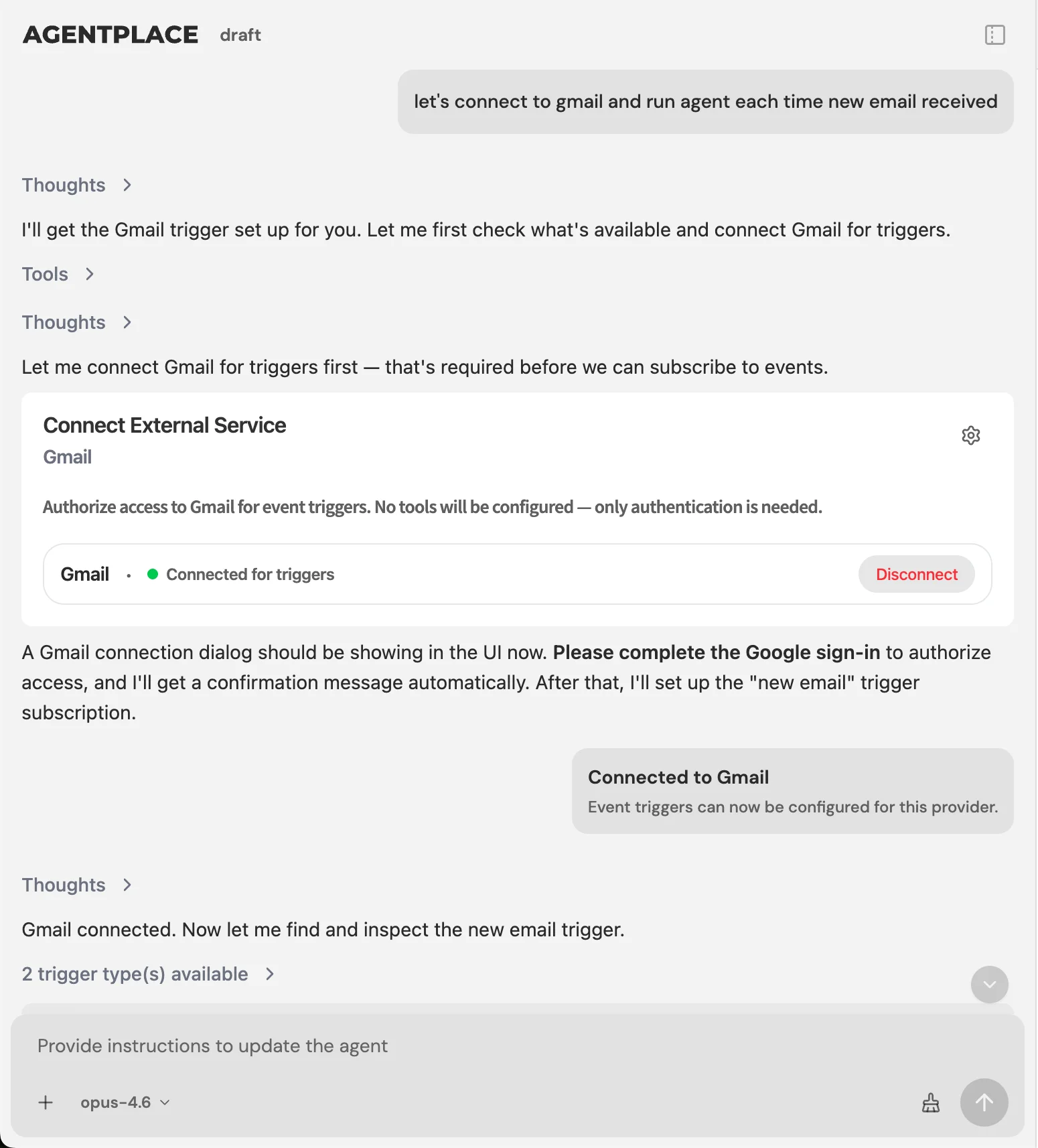 A released appointment is an event the agent can act on, once the calendar connection is authorized.
How do you set up the agent?
Describe your intended process in plain language. For example:
“When a salon appointment is canceled at short notice, help us fill the opening. Use the service durations and stylist qualifications in our records to determine which services may fit. Start with the waitlist for the relevant service and stylist, then consider clients who are due for their next appointment and other eligible clients according to our contact rules. Send offers individually when needed to avoid double booking. Include the appointment time, stylist, service, price and duration. Never offer a discount unless it is allowed by our written pricing rules. Do not offer services that require an outstanding consultation or other prerequisite. If a client accepts, confirm availability and complete the booking only through an authorized booking workflow. Stop further offers when the slot is no longer available. Escalate complaints, unusual requests and decisions outside these rules to a staff member.”
The AI Builder helps you develop the instructions, create the agent and test its behavior. You decide when to publish it, and you do not need to write code to get started.
What needs to be connected?
| Capability | Requirement |
|---|---|
| Identify available appointment times | A supported calendar or booking-system connection |
| Find eligible clients | Access to the relevant client and waitlist data |
| Send text messages | A supported messaging connection, appropriate client consent and functioning opt-out handling |
| Answer service questions | Accurate service descriptions, prices, durations and policies |
| Complete a booking | A supported booking action, authorization and safeguards against double booking |
Agentplace supports integrations through its integration catalog and compatible MCP tools where available. You authorize the accounts and the actions the agent needs.
Without these connections, the agent can still help prepare the shortlist, draft messages and apply your written rules for staff review. Do not assume that a cancellation automatically triggers outreach, or that a client’s reply automatically creates a confirmed appointment, unless that workflow has been configured and tested.
Before publishing, test a cancellation, an outdated waitlist entry, two clients accepting the same slot, a service that requires a consultation, and a client asking for an unauthorized discount.
Review the current pricing for plans and limits.
Templates to start from: AI agent for filling canceled chair time · AI agent for filling same-day cancellation slots
When don’t you need an AI agent?
An AI agent may not be necessary if:
- You have only one or two cancellations a month. A quick call or text from the front desk may be enough.
- Your openings usually appear days in advance. Your booking software’s waitlist may already solve the problem.
- You are a solo stylist with a small regular clientele. You may know exactly whom to contact.
- Your main problem is no-shows. Review your reminder, deposit and cancellation policies first. See how to reduce no-shows at your salon.
- You are missing calls while working with clients. An answering process may be the more immediate priority. See what is an AI receptionist for a salon.
- Your booking software already handles the process. Avoid adding another tool unless it provides a clear benefit.
An AI agent is more relevant when several same-day gaps occur each week and staff do not have time to identify suitable clients, contact them and manage their replies.
Last-minute gap checklist
Before the next cancellation, make sure you have:
- Recorded actual service durations and suitable slot lengths.
- Documented which stylists can perform each service.
- Kept the waitlist current, with the date each client requested an appointment.
- Defined the order for contacting clients.
- Written a message that includes the service, stylist, time, price and duration.
- Set response windows for moving to the next client.
- Documented which services can and cannot be discounted.
- Defined how booking confirmations and competing acceptances are handled.
- Checked client consent and opt-out requirements before automating messages.
- Tested the cancellation workflow before enabling automatic actions.
Related reading: How to reduce no-shows at your salon · What is an AI receptionist for a salon · Which salon software has built-in AI · AI agents for hair salon groups
Bottom line
To fill last-minute gaps in your salon schedule, start with clients who already want the service, contact them promptly, and offer the appointment at the regular price before considering a discount.
If cancellations are frequent and your team cannot keep up with the outreach, an AI agent built with Agentplace can help apply your contact rules, answer questions and manage appointment requests. Automatic calendar checks, messaging and booking require supported integrations, appropriate permissions and safeguards against double booking.
If your salon’s openings are rare, or your booking software already handles the waitlist well, start with the tools you have. Automate only when it solves a recurring problem.
Questions and answers
Frequently asked questions.
How do you fill last-minute gaps in a salon schedule?
Contact the clients most likely to want the appointment. Start with the waitlist for that service and stylist, then clients due for their next appointment, then check whether a client booked later that day can move earlier. Widen the offer only if the slot remains open.
How quickly should you offer a canceled salon appointment?
Promptly, because an opening created a few hours before the service leaves little time to find a client who wants it and can arrive. Set a short response window for each step, based on how much time remains and how quickly your clients usually reply.
Should you discount a last-minute salon appointment?
Offer the appointment at its normal price first. A discount sent to the whole client list can reduce revenue from appointments that would have booked anyway, and it can encourage clients to wait for a promotion. Consider a discount only when your pricing rules allow it.
Who should you contact first when an appointment opens?
The waitlist for the same service and stylist, because those clients have already expressed interest. Confirm that the request is still current, then move to clients due for their next appointment and, after that, clients booked later the same day.
What should a last-minute offer message say?
Include the time, the stylist, the service, the price and the duration, then ask one question. A message that asks the client to get in touch for availability makes them ask follow-up questions before they can decide.
Can an AI agent message a salon waitlist when someone cancels?
With supported calendar and messaging integrations, the required permissions and appropriate client consent, it can identify an opening, prepare targeted offers and help manage replies. Without those connections, it can prepare a shortlist and draft messages for your team to send.
How many clients should receive the offer at once?
Send offers individually where your process has to avoid competing acceptances for the same slot. Do not assume three simultaneous offers can safely book one appointment, because your booking process has to prevent double bookings.
Does salon booking software already do this?
Most platforms can notify a waitlist when an appointment becomes available. Check how the platform prioritizes clients and handles confirmations. If it already handles this well, start there rather than adding another tool.
What should you do if nobody takes the slot?
Consider whether a shorter service, or another service at its normal price, can use the opening before you change the price. Record why the gap did not fill, so the contact order and response windows improve next time.
Put this into practice
See the customer experience.
Explore a concrete example related to this article, then adapt the agent to your business.
Create my AI agentStart free with your business idea. The AI builder can help you explore it and create your agent. No technical specification needed. Sign in to continue. Pricing and limits · How the builder works