
How Do I Handle Hotel Guest Requests at Night Without a Front Desk?

The short answer
Document the instructions guests need at night, separate routine questions from urgent problems, and name the person who handles each. An AI agent built with Agentplace can answer routine questions from your property's instructions and trigger a configured handoff when a request needs human assistance.
Key takeaways
- Most small properties already know how to solve common guest problems. The difficulty is making those instructions available when nobody is at the front desk.
- Every common nighttime request should be classified in writing as one the agent answers, one that contacts a person, or one that requires emergency services.
- An AI agent built with Agentplace can answer from your documented instructions, collect details about a problem, and trigger a configured notification or handoff.
- An agent cannot replace someone who has to physically reach a guest, and it should not be presented as an emergency monitoring service.
- Access codes and other security-sensitive details should be shared only through your approved process, never because somebody has the link to a public help page.
Small hotels, guesthouses and vacation rentals often receive guest requests after reception closes. Guests may need help with door codes, heating, hot water, late arrivals, Wi-Fi, or a problem in their room.
Without a night receptionist, the owner or manager may have to answer every message personally. A practical solution is to document routine instructions, decide which problems require immediate human assistance, and give guests a reliable way to get help.
A customer-facing AI agent built with Agentplace can answer routine questions from your property’s instructions and direct urgent requests to a designated contact. It cannot replace someone who needs to physically assist a guest or respond to an emergency.
The short answer
To handle hotel guest requests at night without a front desk:
- List the requests guests make after reception closes. Start with door access, heating, hot water, late arrivals, Wi-Fi and extra supplies.
- Separate routine questions from urgent problems. Decide which questions can be answered from written instructions, which require an on-call person, and which require emergency services.
- Write down the instructions guests need. Include clear steps, relevant contact details and backup procedures.
- Give guests one place to find help. Share the instructions in your pre-arrival message, confirmation email or guest information page.
- Set up a reliable escalation process. Name the person who handles urgent requests and specify what happens if that person does not respond.
An AI agent built with Agentplace can give guests a dedicated web page where they ask questions in their own words. The agent can answer from your property’s instructions, collect information about a problem, and trigger a configured notification or handoff when a request requires human assistance.
If you operate a two-room property and sleep on site, publishing your phone number and clear instructions may be all you need. An AI agent is more useful when routine questions repeatedly interrupt your sleep and guests need help outside reception hours.
Why do hotel guest requests go unanswered at night?
Most small properties already know how to solve common guest problems. The difficulty is making those instructions available when nobody is at the front desk.
Nighttime problems often include:
- A guest cannot open the door because the access code is not working.
- A guest cannot work out how to adjust the heating.
- Someone arrives late and cannot find the correct entrance.
- A guest needs extra towels or another blanket.
- The Wi-Fi password is missing or incorrect.
- A guest reports a leak, a power failure, or a problem with another guest.
The information may be in a welcome folder, an old message, or the owner’s memory. When a guest needs help at 2 a.m., finding that information can be difficult.
The first step is to document routine instructions and decide who handles problems that cannot be solved with those instructions.
A guest information page can answer common questions. A night contact is still necessary for situations that require physical assistance, judgment or urgent intervention.
Which guest requests can be handled without a night receptionist?
Not every nighttime request needs someone to wake up. Some can be answered from verified instructions, while others require a person or emergency services.
| Guest request at night | Appropriate response | Who handles it |
|---|---|---|
| Wi-Fi password or parking instructions | Provide the documented information | Guest information page or AI agent |
| Heating or air-conditioning settings | Explain the normal controls using approved instructions | Guest information page or AI agent |
| Hot water question | Provide the documented guidance, and escalate if the problem persists | Agent initially, then the on-call person if needed |
| Spare towels or blankets | Explain where supplies are available, if applicable | Agent or on-site staff |
| Late arrival | Explain the approved arrival procedure | Agent for instructions, staff if an exception is needed |
| Door code not working | Provide approved troubleshooting without exposing access credentials to an unverified person | Agent initially, then the on-call contact |
| Guest locked out of the property | Contact someone who can restore access | On-call person |
| Dripping tap or noisy fan | Provide a safe, approved temporary instruction if appropriate, and record the issue | Agent initially, with staff follow-up |
| Major leak, burst pipe or dangerous electrical problem | Direct the guest away from danger and initiate the appropriate emergency response | Emergency services or qualified on-call personnel, as appropriate |
| Injury, chest pain or serious illness | Direct the guest to emergency services | Emergency services |
| Smoke, fire, suspected carbon monoxide or a gas leak | Give appropriate emergency instructions and direct the guest to emergency services | Emergency services |
| Harassment or a serious dispute between guests | Contact the responsible person and prioritize immediate safety | On-call person, or emergency services if there is immediate danger |
Routine instructions can be automated. Problems that threaten someone’s safety or require physical intervention must have a human response plan.
For emergencies in the United States, guests should call 911 when appropriate. For a suspected carbon monoxide leak, they should leave the affected area and get into fresh air before contacting emergency services. For smoke or fire, they should leave the building when it is safe to do so and call for emergency assistance.
Relevant guidance: U.S. Consumer Product Safety Commission and U.S. Fire Administration.
An AI agent should not attempt to diagnose a dangerous situation, or keep a guest troubleshooting when immediate evacuation or emergency assistance may be necessary.
How do you set up nighttime guest support without a front desk?
1. Review the requests you already receive
Look through recent emails, booking-platform messages, WhatsApp conversations and call logs, and identify the questions that arrive repeatedly after reception closes.
Start with the most common problems rather than trying to document every possible situation.
Typical examples include door access, heating, hot water, Wi-Fi, parking, late arrivals and requests for extra supplies.
2. Classify each request into three categories
Create a written rule for every common nighttime problem.
- Answer: the question has a clear answer in your approved instructions, and providing it does not create a safety or security risk.
- Contact a person: the problem requires a decision, physical assistance, access recovery or an on-call professional.
- Emergency: the situation may involve immediate danger and requires emergency services or an established emergency procedure.
If you cannot determine which category a request belongs to, do not guess. Direct it to a responsible person.
3. Write instructions guests can follow on their phones
Use short sentences and specific steps, and avoid assuming that guests know the layout of your property or the names of your equipment.
For example, an ordinary heating question might receive this answer:
“The thermostat is on the wall beside the bedroom door. Press the power button and use the up and down controls to adjust the temperature. If the heating does not respond after following these steps, contact our on-call manager.”
For a door access problem, the response should follow your security procedure. It might explain which entrance to use and how to contact the night manager, without disclosing a door code to an unverified visitor.
Never treat possession of a public help-page link as proof that someone is an authorized guest. Access codes and other security-sensitive details should be shared only through your approved, appropriately secured process.
4. Give guests one place to find routine instructions
Guests should not have to search through several emails or scroll through an old message thread while standing outside the property.
Create a guest information page with:
- Arrival and entrance instructions.
- Approved door-access guidance.
- Heating and hot-water instructions.
- Wi-Fi and parking information.
- The location of extra supplies.
- The nighttime contact procedure.
- Emergency instructions and the property address.
Share the page in the booking confirmation, the pre-arrival message and other appropriate guest communications.
A QR code can also link to the page inside the property, but guests should be able to reach it before arrival.
5. Name the person responsible for nighttime problems
Every escalation rule needs an actual contact and a backup.
For example:
“Contact Nadia by phone if a guest cannot enter the property, reports a significant leak, or needs physical assistance. If Nadia does not respond within five minutes, contact Tomas. For an immediate threat to life or safety, direct the guest to emergency services without waiting for either person.”
The names, timing and escalation methods have to reflect your real staffing arrangements.
A message sent to an unattended inbox is not a reliable emergency response. Test the actual notification or calling process, and make sure the designated contacts understand their responsibilities.
6. Test the instructions and escalation rules
Before relying on an automated system, test it with real examples.
Include routine questions, missing information, failed door access, a persistent maintenance problem, a serious complaint and an emergency scenario.
Check that the system gives accurate instructions, protects access credentials, and directs each problem to the right destination.
Review the log regularly. If guests repeatedly ask a question that is missing from your instructions, add a verified answer to the property information.
What should a property owner document first?
Use this worksheet to prepare your nighttime guest instructions.
| Information | What to document |
|---|---|
| Door and entrance | The correct entrance, keypad instructions and the backup access procedure |
| Access credentials | How authorized guests receive codes securely, and what to do if access fails |
| Heating and air conditioning | Thermostat location, approved settings and basic troubleshooting |
| Hot water | Normal operation and when to report a problem |
| Room supplies | Location of extra towels, blankets, pillows and other available supplies |
| Wi-Fi | Network name, password and troubleshooting instructions |
| Parking | Designated spaces, access restrictions and what to do if access fails |
| Late arrivals | Arrival procedure, contact details and backup instructions |
| Emergency contacts | Local emergency number, property address and applicable emergency instructions |
| On-call suppliers | Verified contact details for the plumber, electrician and locksmith |
| Escalation rules | Which problems require immediate attention, and who responds |
| Restrictions | Actions the agent must never take or recommend |
If only one person knows how to solve a recurring problem, document the procedure before automating it.
Keep the information accurate. Do not include a contractor in the on-call list unless that contractor has agreed to be contacted for the purpose.
What tools can help cover guest requests at night?
Different tools solve different parts of nighttime guest support.
| Tool | Best use | Limitation |
|---|---|---|
| A night receptionist or night manager | Handling guest problems and providing physical assistance | Staffing costs |
| Human answering services, such as Ruby or PATLive | Answering calls and taking messages | Capabilities depend on the service, and message-taking alone cannot resolve a physical problem |
| A property management system, such as Mews, Cloudbeds or Little Hotelier | Managing reservations and related guest information | Does not automatically provide a complete nighttime support process |
| Smart-lock apps, such as igloohome or Nuki | Managing supported locks and access credentials | Does not necessarily explain access procedures or provide physical assistance |
| A guest information page | Publishing instructions guests can consult at any time | Cannot respond to questions or contact staff by itself |
| Customer-facing AI agent built with Agentplace | Answering routine questions from property instructions and supporting configured escalation workflows | Requires accurate instructions and tested connections for external actions |
Many properties benefit from combining tools. A smart lock can manage access, a property management system can hold reservation information, and a customer-facing agent can explain routine procedures.
The important question is not which single tool covers every situation. It is whether the overall process gives guests accurate information and a reliable route to help.
How can Agentplace help handle hotel guest requests at night?
Agentplace is a platform for creating AI agents that serve customers and help businesses run their work.
Each agent has its own web page and URL. A property can share the link in its booking confirmation, pre-arrival message or guest information page. Guests can ask questions in their own words by text or voice.
For nighttime support, an agent can use your documented instructions to answer routine questions about heating, hot water, Wi-Fi, parking and arrival procedures. It can also collect details about a problem and direct requests that need human attention to the appropriate contact.
How does an after-hours guest support agent work?
- The guest opens the agent’s page. They explain the problem, such as not understanding the heating controls or being unable to access the building.
- The agent checks the documented instructions. It provides the relevant information without inventing a procedure.
- The agent asks for necessary details. For example, it may ask which room or entrance is involved, while avoiding unnecessary collection of sensitive information.
- The agent identifies requests that need escalation. It does not continue routine troubleshooting when the situation calls for immediate human assistance or emergency services.
- The agent supports the configured handoff. Depending on the setup, it may record the request or notify a designated contact through a supported integration.
You define the rules in plain language. For example:
“Handle routine guest requests at our property between 10 p.m. and 7 a.m. Answer questions about heating, hot water, Wi-Fi, parking and late arrivals using our approved house instructions. Do not disclose access codes to unverified users. If a guest cannot enter the building, contact the designated on-call person through the configured escalation process. Escalate serious maintenance problems, complaints involving other guests, and any situation that may threaten safety. For fire, suspected carbon monoxide, gas leaks or medical emergencies, prioritize the appropriate emergency instructions and emergency services. Never claim to have contacted someone unless the configured action succeeds.”
The Agentplace AI Builder helps you define the requirements, create the agent and test its responses. You decide when to publish it, and no code is required to get started.
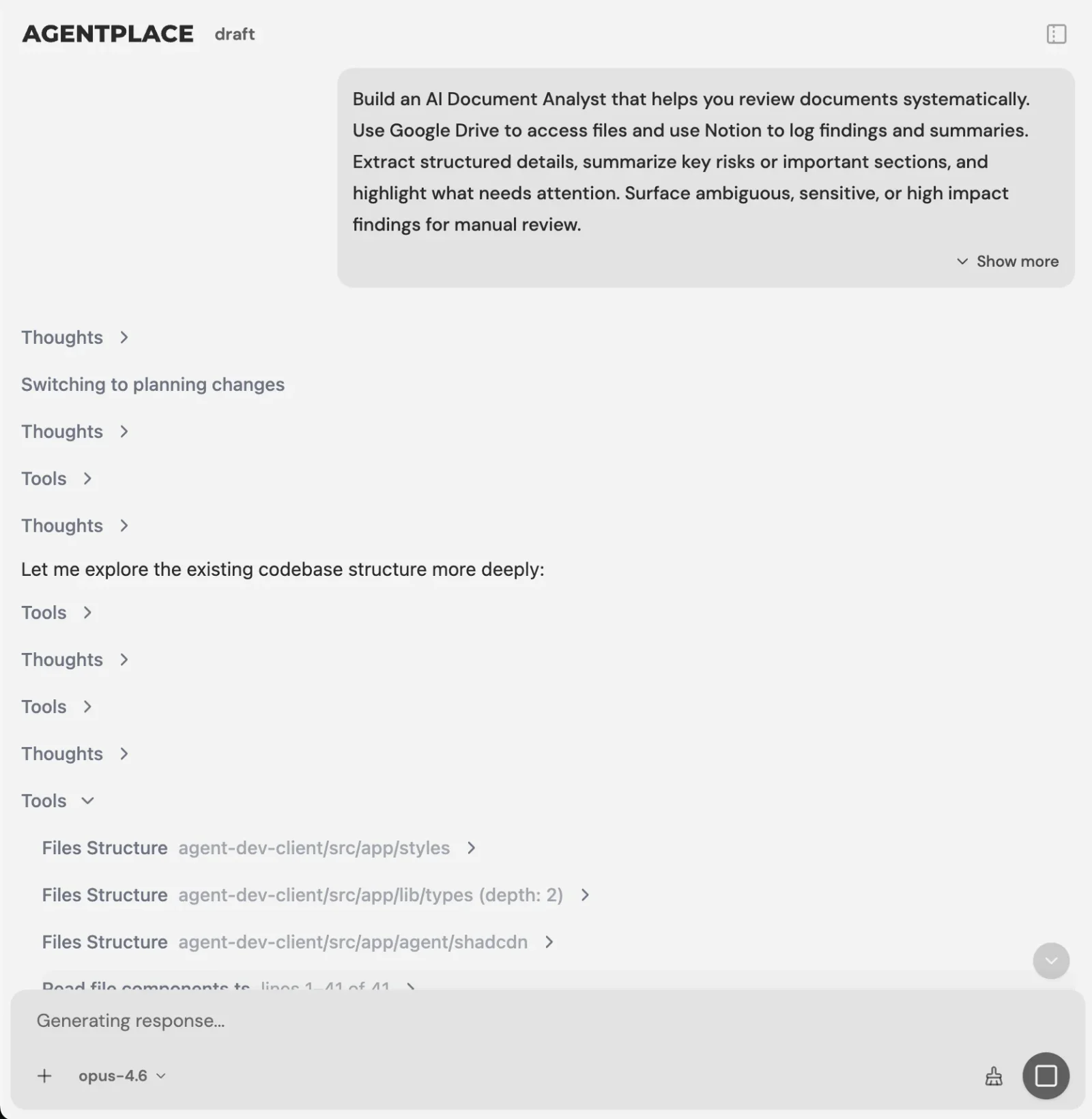 You describe the night rules in plain language, and the AI Builder asks for what is missing.
Can an Agentplace agent call the owner or access a booking at night?
That depends on the connections and actions you configure.
- Answering from house instructions: the agent can answer using the information you provide.
- Recording a request: writing a request to an external system requires a supported integration or workflow.
- Notifying the owner: sending a message or initiating a call requires an available, authorized connection that supports the action.
- Checking a reservation: reading booking information requires access to the system holding that information.
- Managing a door lock: this requires an appropriate supported integration and authorization. Do not assume that creating an agent automatically gives it access to a smart lock.
Agentplace supports integrations through Composio’s integration catalog and compatible MCP tools. Actual capabilities depend on the specific integration, the permissions and the configured workflow.
Test every critical escalation path before relying on it. If an alert fails, the system needs a backup process. An AI agent should not be presented as an emergency monitoring service, or as a replacement for a person who can physically reach the guest.
Agentplace offers a free plan and paid plans that use AI credits. See the current pricing for details.
Starting template: AI After-Hours Property Emergency Intake Agent
When don’t you need an AI agent?
An AI agent is not the right solution for every property.
- You operate a very small property and sleep on site. A visible contact number and clear instructions may be sufficient.
- Guests mainly need standard information. A well-organized guest information page may solve the problem.
- You only need scheduled door codes. A compatible smart-lock system may be enough.
- Guests need someone to enter a room or fix equipment. Arrange an on-site or on-call person.
- You need someone to answer calls and take messages. A human answering service may fit better.
- Guests repeatedly ask routine questions after reception closes. A customer-facing AI agent may help reduce repetitive interruptions while keeping a human escalation process in place.
Nighttime guest support checklist
Before introducing automated nighttime support, make sure you have:
- Reviewed recent guest messages and identified recurring questions.
- Written clear instructions for common room and arrival problems.
- Separated routine questions, urgent requests and emergencies.
- Established a secure process for sharing access credentials.
- Named the primary and backup on-call contacts.
- Defined what happens when a contact does not respond.
- Verified the emergency instructions and property address.
- Configured any required notifications or external integrations.
- Tested the system with routine and urgent scenarios.
- Set a regular review of unresolved requests, updating the instructions as needed.
Related reading: Always-on agents for property managers · After-hours answering for trades · AI agents for hospitality · Ready.gov emergency planning
Bottom line
Document routine instructions, automate the appropriate answers, and establish a reliable process for human assistance and emergencies.
If guests mainly ask about Wi-Fi, heating, parking and late arrivals, a well-written information page may answer many of their questions.
If those questions repeatedly interrupt the owner or manager at night, a customer-facing AI agent built with Agentplace can give guests a place to ask questions and receive answers from the property’s instructions.
For problems involving failed access, physical assistance, serious maintenance issues or guest safety, the agent should direct the request to the appropriate person or emergency service. The property remains responsible for accurate instructions, secure access and a tested escalation process.
Questions and answers
Frequently asked questions.
How can a hotel handle guest requests at night without a front desk?
Document the instructions guests need, separate routine questions from urgent problems, give guests one place to find help, and name the person who handles urgent requests along with what happens if that person does not respond.
Which nighttime requests can be answered without a receptionist?
Routine questions covered by verified instructions, such as the Wi-Fi password, parking, heating and air-conditioning controls, hot water guidance and the approved late-arrival procedure. Problems that threaten safety or require physical assistance need a human response plan.
What should an AI agent never handle at night?
Fire, suspected carbon monoxide, gas leaks, medical emergencies, a guest locked out of the property, major leaks or dangerous electrical problems, and serious disputes between guests. Those require emergency services or a designated on-call contact.
Can an AI agent let a guest into a room?
It can provide approved troubleshooting without exposing access credentials to an unverified person. Managing a door lock requires an appropriate supported integration and authorization, so do not assume that creating an agent gives it access to a smart lock.
Can an AI agent notify the owner at night?
Sending a message or initiating a call requires an available, authorized connection that supports the action. Test every critical escalation path before relying on it, and keep a backup process for when an alert fails.
Where do guests find the instructions at night?
Publish a guest information page covering arrival and entrance instructions, approved door-access guidance, heating and hot water, Wi-Fi, parking, supplies, the nighttime contact procedure and emergency instructions. Share it in the booking confirmation and pre-arrival message.
Can an AI agent read a reservation at night?
Reading booking information requires access to the system that holds it, through a supported, authorized integration. Without that connection, the agent can answer from your documented instructions and collect the details a person needs to follow up.
How much should a property document before automating anything?
Start with the requests that arrive repeatedly after reception closes, which usually means door access, heating, hot water, Wi-Fi, parking, late arrivals and extra supplies. Add the escalation rules, then test the system against real examples.
Does this work for a property with no staff at night at all?
It works for routine information and collecting details, with one condition. Somebody must still be reachable, because failed access, a leak or an alarm needs a person who can attend or call a qualified trade.
Put this into practice
See the customer experience.
Explore a concrete example related to this article, then adapt the agent to your business.
Create my AI agentStart free with your business idea. The AI builder can help you explore it and create your agent. No technical specification needed. Sign in to continue. Pricing and limits · How the builder works