
Adaptive UI: 8 Ways a Page Can Change for the Customer in Front of It

The short answer
Adaptive UI means a page changes what it shows for the person looking at it. Responsive design changes the layout. Adaptive design changes the content. For pages that adapt to a request you did not plan for, use a customer-facing AI agent built with Agentplace. For two or three fixed states, rules in your CMS are enough.
Key takeaways
- A visitor who has already explained their situation usually sees the same page as everyone else, then has to explain it again on the next screen.
- A custom GPT has a chatgpt.com link, and it serves whoever opens ChatGPT. A page of your own serves your customer, applies your business rules and reads your live systems.
- A customer-facing AI agent built with Agentplace gives the customer a page of its own. It asks what it needs, applies your rules, and changes the content and components on screen as the request changes.
- An interface can only adapt to a fact that is recorded somewhere. Availability, prices and stock still have to come from the live system at the moment of the answer, never from the agent's memory.
- Start by writing down the two or three states your page should have and what decides each one. If the deciding fact is not recorded, no interface can adapt to it.
The short answer
Adaptive UI means the page changes what it shows for the person looking at it, and for the task they are trying to finish.
Three steps get you there:
- Decide what the page should adapt to. Device, language, account, purchase stage, or what the customer just asked for.
- Check the deciding fact is recorded. A page cannot adapt to something nobody wrote down.
- Pick the mechanism. Rules handle a known set of states. A conversation handles requests you did not plan for.
A customer-facing AI agent built with Agentplace gives the customer a page and URL of their own to open. The agent asks what it needs, applies your business rules, and changes the content and components on screen as the request changes.
If your marketing site is only cramped on a phone, that is responsive CSS, and it is cheaper to fix.
What is adaptive UI?
Adaptive UI is an interface that changes what it shows based on who is using it and what they are trying to do. What changes can be the content, which components appear (a table, a form, a map), the order of the steps, or the next action offered.
The label describes a behaviour. It says nothing about how the page is built. You can get there with CSS rules, feature flags, a recommendation engine or an AI agent.
The word carries two meanings and they get mixed up constantly. Front-end developers use “adaptive” for a layout technique. Product teams use it for content that differs by person.
Responsive vs adaptive: what is the difference?
Responsive design changes the shape of the page. Adaptive design changes what is on it.
Responsive design is one fluid layout that reflows to the space it has, using CSS media queries. Adaptive layout, in the front-end sense, serves one of several fixed designs chosen at set breakpoints. Both are about screen size.
| Approach | What changes | How it is built | Suited to |
|---|---|---|---|
| Responsive design | The shape of one layout | A fluid grid and media queries | Any site that must work on every screen |
| Adaptive layout | Which of a few fixed layouts you get | Breakpoint-specific templates | Tight control over a few device classes |
| Adaptive content | Which content and components appear | Rules or feature flags over recorded data | A known number of visitor states |
| Agent-controlled interface | Content, components and next step, per request | A model that picks from your approved components | Requests you did not plan a page for |
Rule of thumb: “does this fit a phone” is responsive design. “Does this fit this customer” is adaptive content.
What are 8 ways a page can adapt to the customer?
Each needs something different to be true before it can work.
The customer lines quoted below are composites of the enquiries these businesses get, not words from a named customer.
1. The returning visitor
Someone halfway through a quote does not need the homepage again.
- the quote or booking they left unfinished
- where they stopped, and what is missing
- one button to carry on
Example: A wedding venue, from a visitor who left a tour request unfinished.
“Same enquiry as last week. 120 guests, 14 March, and I still want the ceremony room on the tour.”
An AI venue tour booking agent reopens that request with the date and guest count still in it. An anonymous browser is not automatically the same person as a known customer, so continuing private work needs sign-in or an identifying link.
2. Layout led by intent
Two visitors on the same URL can want opposite things.
- asked for a price: the estimate first
- comparing two models: the comparison table first
- ready to buy: the date picker first
Example: A roofing contractor, from a homeowner.
“Roughly what does a re-roof cost on a 1930s semi? I don’t want anyone round yet.”
That visitor should land on the itemised preliminary estimate an AI roofing estimate agent produces. The material choice goes beside it, the gallery below. Intent beats hierarchy: the thing the customer asked about goes at the top, whatever your sitemap says.
3. Device and context
Screen size is a hint about the situation. The situation is what matters.
- a phone at 7pm means one hand and little patience
- a desktop session means comparison and sharing
- a slow connection makes the long product video a liability
Example: A contract manufacturer’s order desk serves a buyer standing on the plant floor with a phone. They need the stage the order has reached and the expected dispatch date. At a desk the same request wants the full order lines and the open exceptions. An AI manufacturing order status agent works from the same order either way. The dispatch date is read from the production record, never from memory.
4. Progressive disclosure
Show the fields the answer requires. Reveal the rest when an answer makes them relevant.
- start with three questions, not seventeen
- open a branch only when an answer opens it
- never ask for what you can read from a connected system
Example: An AI tenant property questions agent at a letting agency asks which tenancy first. A decorating question then opens the consent clause and a landlord permission request. A bin collection question opens neither.
Rule of thumb: if the answer will not change the result, the routing or the next step, do not ask it.
5. Language
Language adaptation fails when teams translate the interface and leave the facts untranslated.
- product facts, sizes and warranty wording in each language
- local conventions for dates, units and addresses
- a tested path for every language you claim to support
Example: A med spa translates its booking pages and leaves the consultation wording in English. A visual consultation brief agent should label its concept images in the client’s own language. That label is what stops a reference photo reading as a promised result.
6. The state after a purchase
The same URL has a different job once money has changed hands.
- before: specifications, comparisons, price
- just after: confirmation, delivery window, next steps
- weeks later: order status, returns, reorder, support
Example: An online retailer, the week after dispatch.
“Tracking says delivered. Nothing arrived, and the photo on it is not my door.”
That page should lead with that order’s timeline. An AI order tracking explanations agent opens the missing-parcel investigation from there.
7. Availability and season
Do not show what you cannot sell.
- hide departures, slots and sizes that are gone
- surface what is actually in season or in stock
- match the hemisphere, not your head office
Example: An adventure tour operator still lists a March trek that filled in January. A traveller asking for six-hour days is offered a departure nobody can book. An AI adventure tour suitability agent weighs the walking days and the open departures together.
Availability has to be read from the booking or inventory system at the moment of the answer. Anything held in memory is already out of date.
8. Accessibility
Here, adapting means honouring settings the viewer already chose.
- respect reduced-motion and larger-text preferences
- keep contrast and focus order intact in every state
- keep each revealed section reachable by keyboard
Example: A dental practice reveals parking, plan and fee answers as a new patient asks for them. An AI dental new patient inquiries agent adds a state for each. Every one has to stay reachable with larger text and a keyboard, including the appointment step.
The W3C’s WCAG guidelines are the reference here. An interface that only adapts for a mouse user is not adaptive.
Adaptive vs intelligent vs generative UI
These four terms overlap, and people mean different things by them.
| Term | What it usually means | What changes | Who uses the term |
|---|---|---|---|
| Adaptive UI | It changes for the person and the task | Content, components, order, next step | Product and design teams |
| Personalized UI | It changes using what is known about an individual | Content and recommendations, tied to a profile | Marketing and CRO teams |
| Intelligent UI (IUI) | It has any model-driven behaviour in it | Anything from a suggestion to a whole workflow | Academics, analysts, enterprise buyers |
| Generative UI | It is produced at the moment of the request | The screen itself, assembled per answer | AI product teams |
Intelligent user interface is the broadest of the four, and the least useful to shop by. It is an academic field with its own conference, ACM IUI, covering autocomplete, spell check, recommender systems and mixed-initiative dialogue. A vendor saying “intelligent UI” has told you almost nothing.
Translate it into a requirement instead:
- What should change? Content, components, the questions asked, or the next action.
- What decides it? A rule, a recorded fact, a live system reading, or the customer’s own words.
- Who approves what can appear? This separates predictable from surprising.
Adaptive UI picks from components you defined. Generative UI assembles the screen at request time, which buys flexibility and costs predictability. For depth on both, see what is generative UI and building a dynamic UI with AI.
How does Agentplace help?
Agentplace creates AI agents that serve customers and help run a business. Each agent gets its own web page and URL. It uses business knowledge and authorized tools to deliver a personal plan, estimate, product comparison, document, or other result. The AI controls the interface and updates the work as customers make requests by text or voice.
In practice, it works like this:
- The customer opens the agent’s page and says what they need, by text or voice.
- The agent asks only the questions that change the result.
- It applies your rules on eligibility, pricing bands, service area and the rest.
- It shows the result on screen as tables, charts, product cards, forms or documents.
- When the customer changes a requirement, it revises the result and the components together.
- It moves them to the next step: a booking, a document, or a named person.
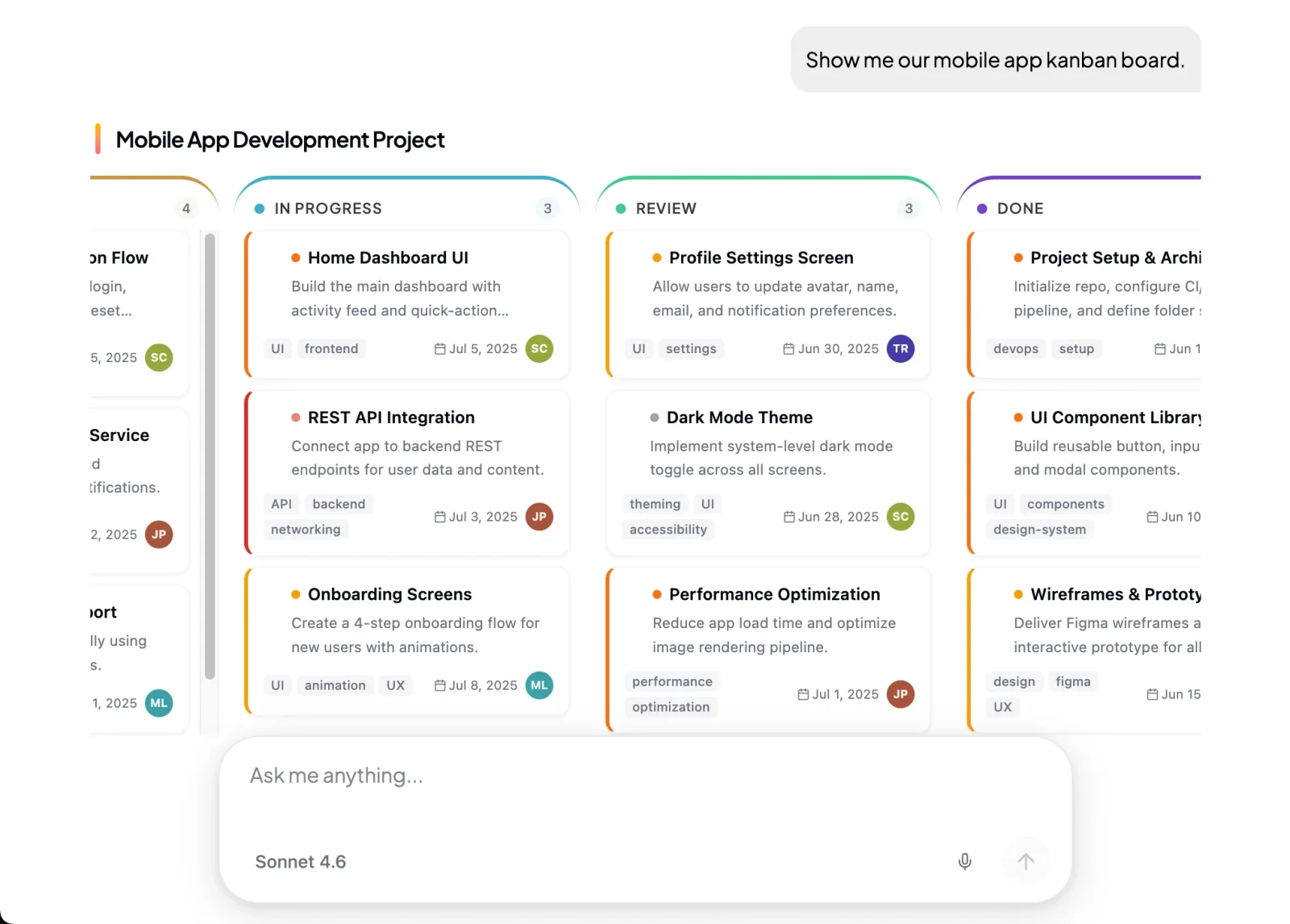 The agent picks the components for the request in front of it.
You set it up by describing the outcome in plain language, for example:
“Help customers choose a mattress. Ask about sleeping position, body weight, temperature preference and budget. Show at most three models side by side, with a reason for each. Read live stock before calling anything available. Send medical questions and warranty claims to Priya.”
The AI Builder discusses the idea, clarifies requirements, creates the agent and helps test it. You choose when to publish. No code is required.
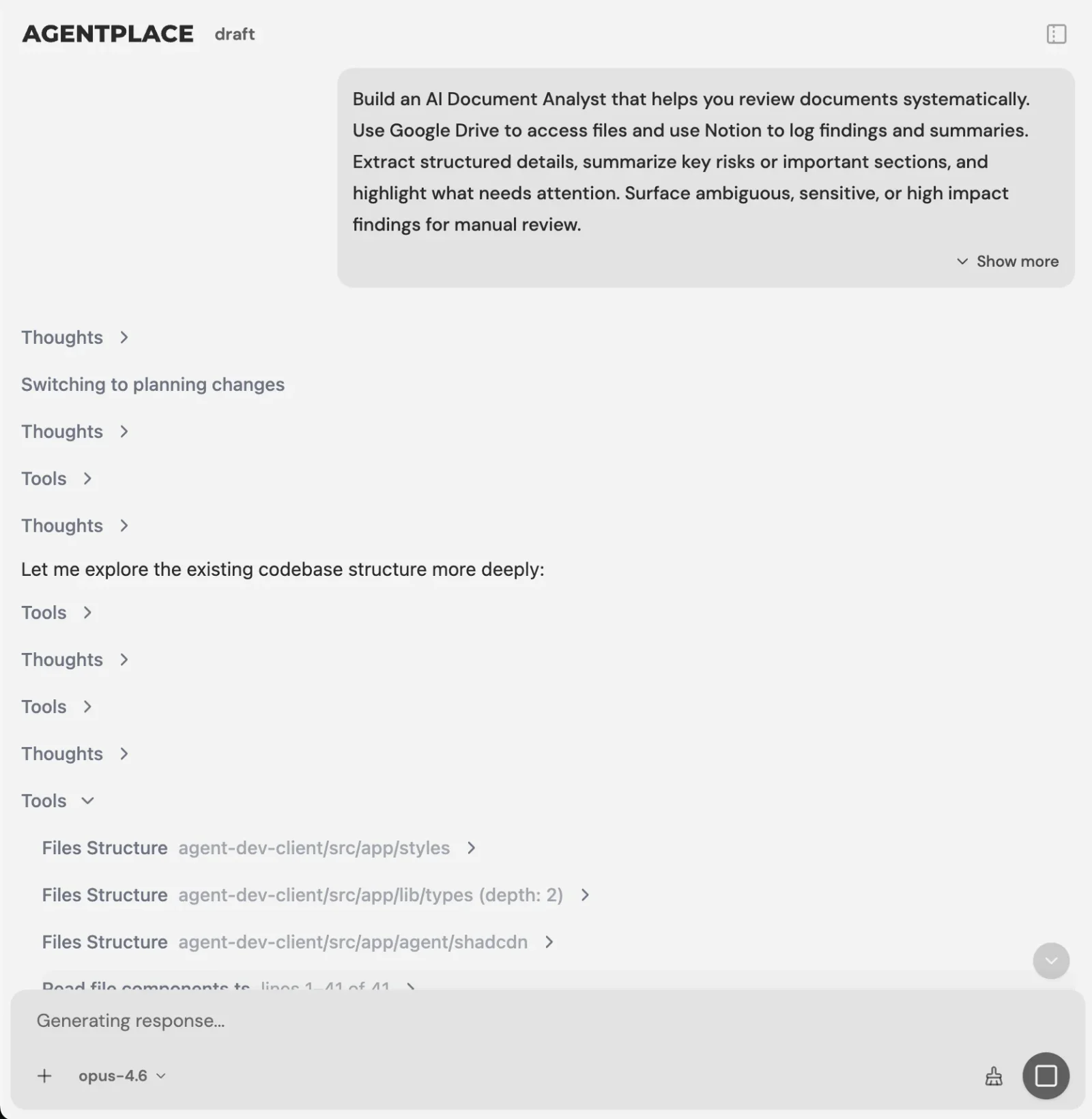 You describe the business task. The builder asks what it still needs.
What stays where it is:
- Your booking system, inventory and catalogue keep availability, prices and stock. The agent reads them at the moment of the answer.
- It connects to the systems you already run through Composio’s integration catalog or compatible MCP tools. You authorize each account and its actions.
- Your public marketing pages stay public and stay responsive. A personalised conversation is not public search content.
- Supported connections such as phone, WhatsApp or Telegram can extend the experience after setup. The agent’s page is the primary place to work.
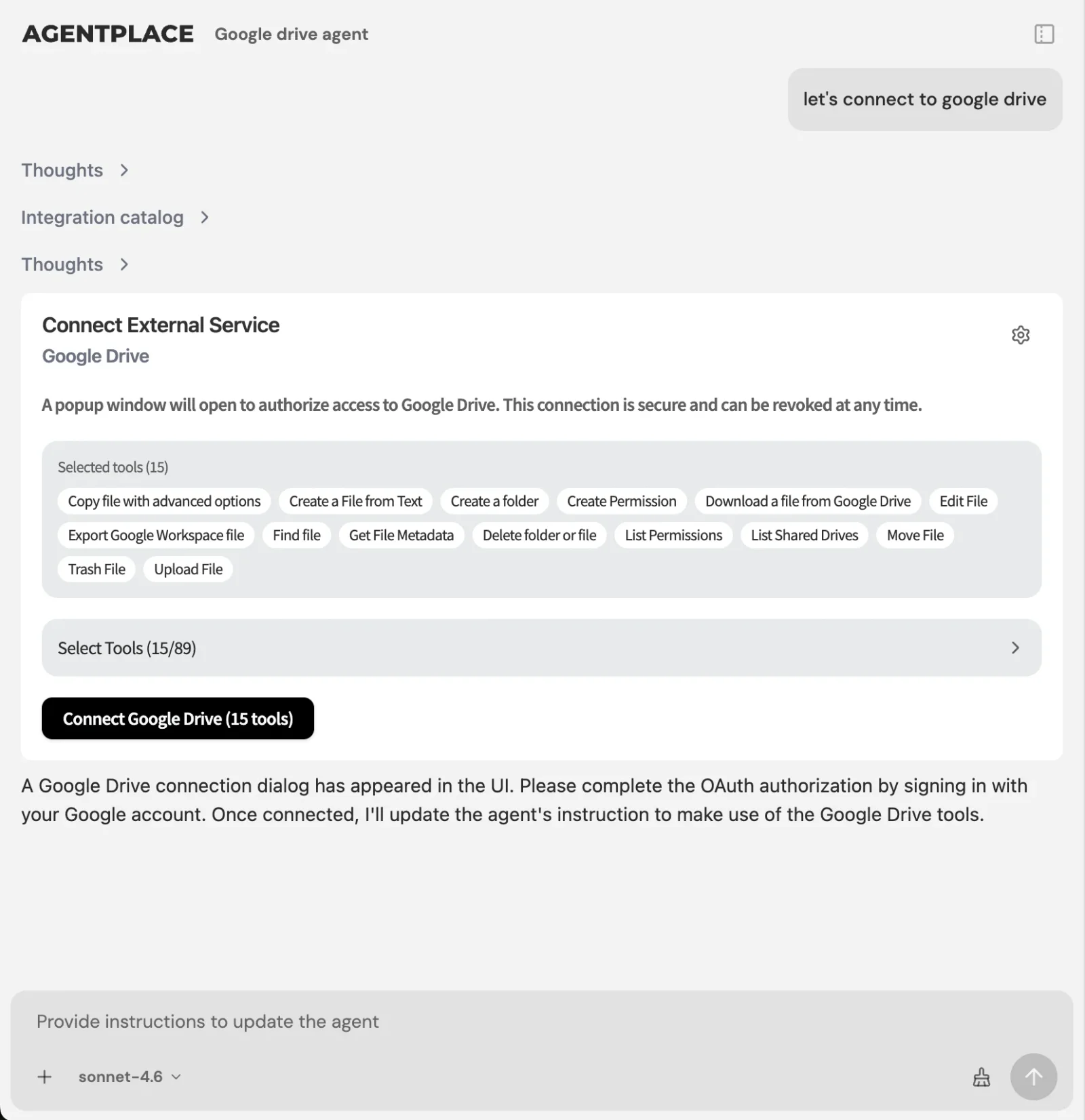 Live data comes from the systems the business already runs, once each account is authorized.
Where it stops. The agent changes what it asks, shows and offers next. It does not restyle your existing website or replace the responsive CSS on your marketing pages. It is the surface where a customer gets something done, beside the pages that explain what you sell.
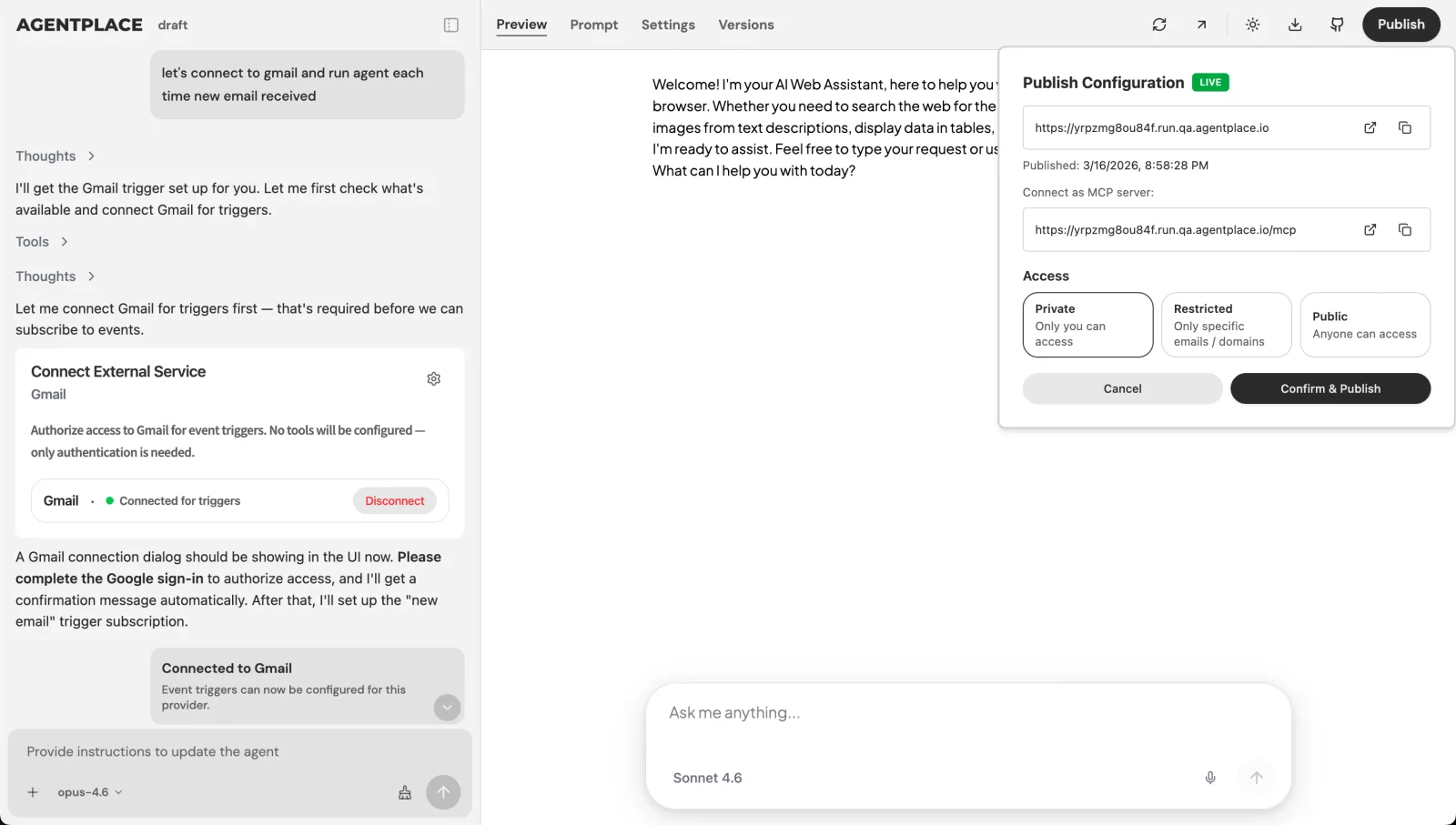 You choose when to publish, and who gets in.
Pricing: Agentplace has a free plan and paid plans that use AI credits. A credit is not a customer message. See pricing.
Build a page that changes with the request. Templates to start from: AI e-bike recommendation agent · AI agent for hair color consultation intake
When is one page for everyone the right call?
- Selling one product at one price? One clear page beats any adaptation.
- Is the page’s job to rank in search? Keep a stable public page with your approved information. Personalised content is not what gets indexed.
- Only two or three visitor states? Rules or feature flags in your CMS are cheaper to run and easier to debug.
- Is the site just awkward on phones? That is responsive CSS, and a developer can fix it this week.
- Need the category explained first? Start with what an AI website is.
- Do customers arrive describing a situation nobody planned a page for? That is what a customer-facing AI agent built with Agentplace is designed for.
Quick checklist
- List the visitor states your page genuinely has
- Name the fact that decides each state, and where it is recorded
- Mark the live facts (stock, prices, slots) that must be read, not remembered
- Decide which components a customer may be shown, and who approves them
- Keep one stable public page per topic for search
- Test every adapted state with a keyboard and with reduced motion on
Related reading: what is an AI website · what is generative UI · dynamic UI with AI · interactive product finders · one agent instead of a chatbot, forms and a booking flow · how to build an AI agent
Bottom line
Responsive design makes a page fit the screen. Adaptive UI makes it fit the customer, and it only works for facts you have actually recorded.
- If your states are few and known, adapt with rules in the system you already run.
- If customers arrive describing a situation you did not plan for, build a customer-facing AI agent with Agentplace. It asks what it needs, applies your rules, reads live availability, shows the result as real components, revises it when the customer changes their mind, and hands off to a named person when the request calls for one.
Questions and answers
Frequently asked questions.
What is adaptive UI?
Adaptive UI is an interface that changes what it shows based on the person using it and the task they are trying to finish. The change can be the content, the components, the order of the steps or the next action. The term describes a behaviour and says nothing about the technology used.
What is the difference between responsive and adaptive design?
Responsive design uses one fluid layout that reflows to fit any screen. Adaptive design serves one of several fixed layouts chosen at set breakpoints. In product conversations, adaptive usually means something broader: the page shows different content to different people. Shape is only part of it.
What is the difference between adaptive UI and generative UI?
Adaptive UI picks from components and content you have already defined. Generative UI builds the interface at the moment of the request, so the screen a customer sees may never have existed before. Generative UI is one way to deliver adaptive behaviour, and it is the harder one to keep predictable.
Is an intelligent UI the same as an adaptive UI?
Not quite. Intelligent user interface is an academic term, used at the ACM IUI conference, covering everything from autocomplete to recommender systems. Adaptive UI is narrower and describes what the interface does: it changes for the person in front of it. Ask what should change and what decides it. The label matters less.
How can AI adapt an interface to each customer?
The model reads what the customer says, asks for anything missing, applies the business's rules, then chooses the content and components to show. A customer-facing AI agent built with Agentplace works this way on its own page, and revises the result when the customer changes a requirement.
What is an adaptive website?
An adaptive website changes what a visitor sees according to something known about them: their device, their language, their account, their stage in a purchase or what they just asked for. The term is also used in front-end work for a site built from fixed layouts at set breakpoints.
What are some adaptive website examples?
Common ones are a store that hides items it cannot ship to your country, a bank that shows your accounts instead of its product pages once you sign in, a support page that leads with order tracking after a purchase, and a booking page that only offers dates the calendar actually has free.
Is adaptive design bad for SEO?
It is a risk when the adaptive version is the only version. Search engines index a public page, and a personalised conversation is not public content. Keep stable public pages with your approved business information, and let the adaptive experience handle the logged-in or conversational part.
Does adaptive UI need personal data?
No. Plenty of useful adaptation runs on the current request alone: what the customer just said, their language, their device and live availability. Anything tied to a person needs sign-in or an identifying link, because an anonymous device and a different channel are not automatically the same individual.
Put this into practice
See the customer experience.
Explore a concrete example related to this article, then adapt the agent to your business.
Create my AI agentStart free with your business idea. The AI builder can help you explore it and create your agent. No technical specification needed. Sign in to continue. Pricing and limits · How the builder works